
Subway project creator

Disclaimer

This project was developed as part of the innovation and research process for the creation of products for the MathWorks company, in this project I showed how to improve and add new ways to approach product development in the company’s traditional method, to do that I linked my UX process with their business goals and the user’s needs.

About the project

A mobile app for rail engineers to find out new subway possibilities to improve the city’s traffics levels

The goal of this product was to create a product to help rail engineers to find out new possible train lines to reduce the traffic levels.

The main challenge I had with this project was figuring out which are the most valuable aspects for a rail engineer to start a new subway project.

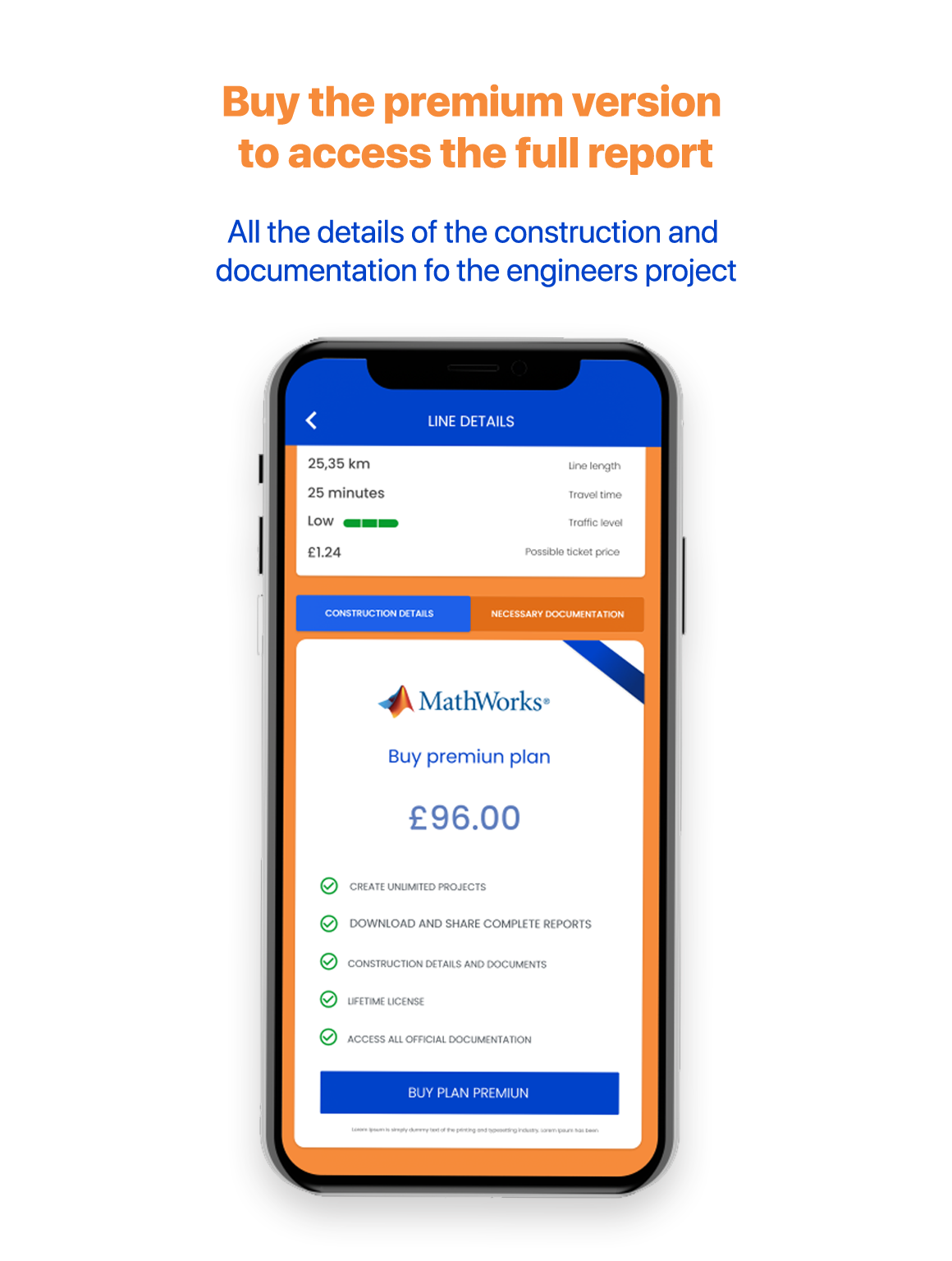
Another challenge I had was to make this product profitable for the company (the business objective). To achieve that I had to divide the engineer’s app value into two versions: a free app version with basic values spaces to start a new subway project and a premium account with complete paperwork ready and suggestions ready to start a new project with the MathWorks company quality.

Rol

UX Designer

Visual Designer

Prototyping

User Testing

Branding 

Devices

Mobile

Products

Mobile App


INITIAL TEAM DISCUSSION

My goal in this session was to point out what the company was trying to offer, What would a successful product mean for them, and what metric would we use to measure it

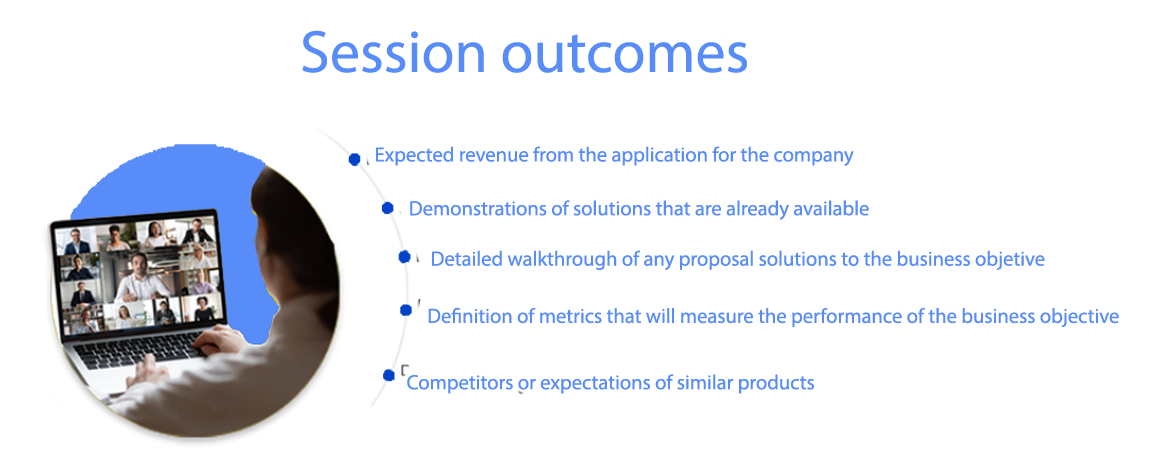
In this first approach my objective was to create shared knowledge ­b­etween the executives of the company and the project team about the­ busi­ness objectives of the product and the  product’s expectations to the company, generally they are quick talks of 20 to 35 minutes where we shared knowledge.

Some topics that I usually talk about in these sessions are:

Understanding Session Assumptions

Engineers have to use multiple desktop products for their projects and we wanted to innovate and create a mobile app with all the solutions in one place for their real context, we were going to measure the success of the product based on financial income.

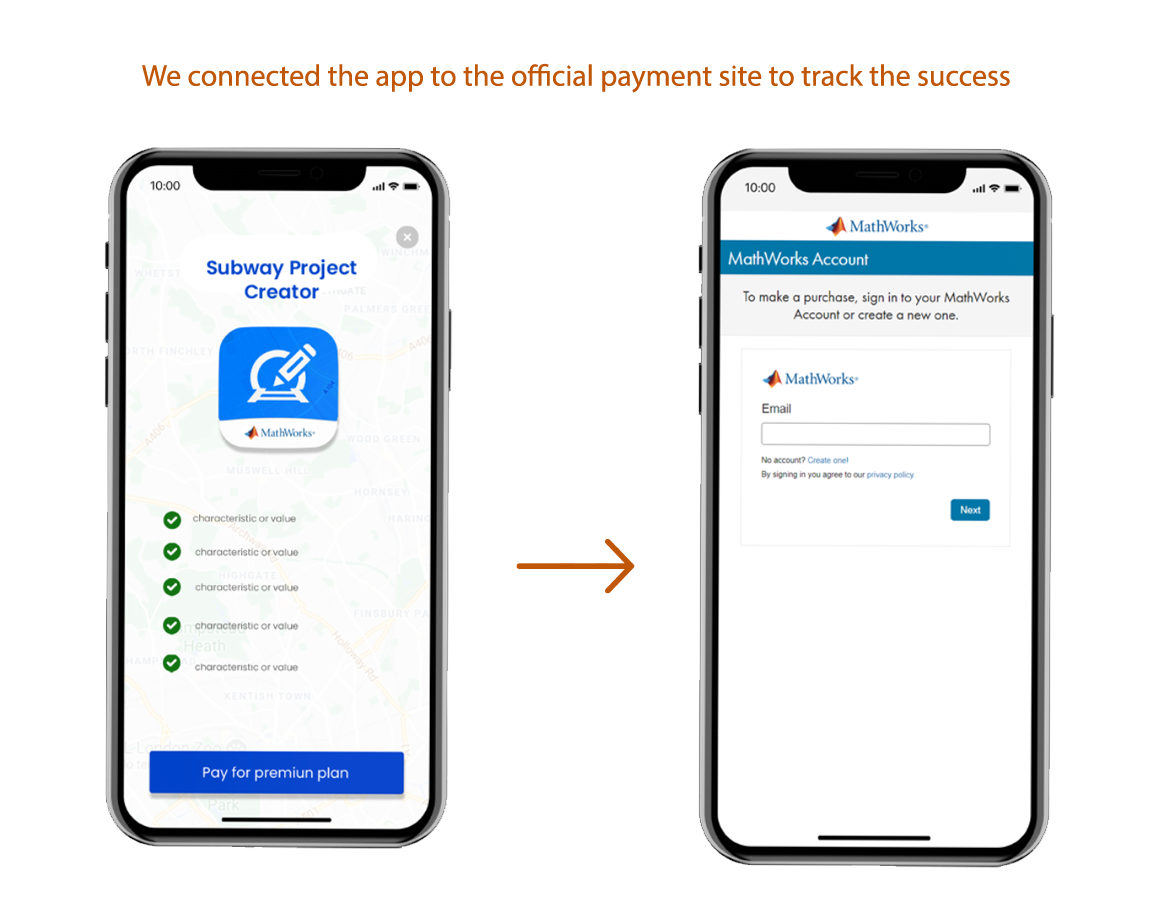
The solution I proposed to link the value of the application with the commercial objective, the application had to be connected to the official MathWorks payment site, this way will help us to track the success of the product.

The points that we discovered were:

problem one

Which information is valuable for engineers to start a new subway project?

problem two

How to get an economic income thru that information?

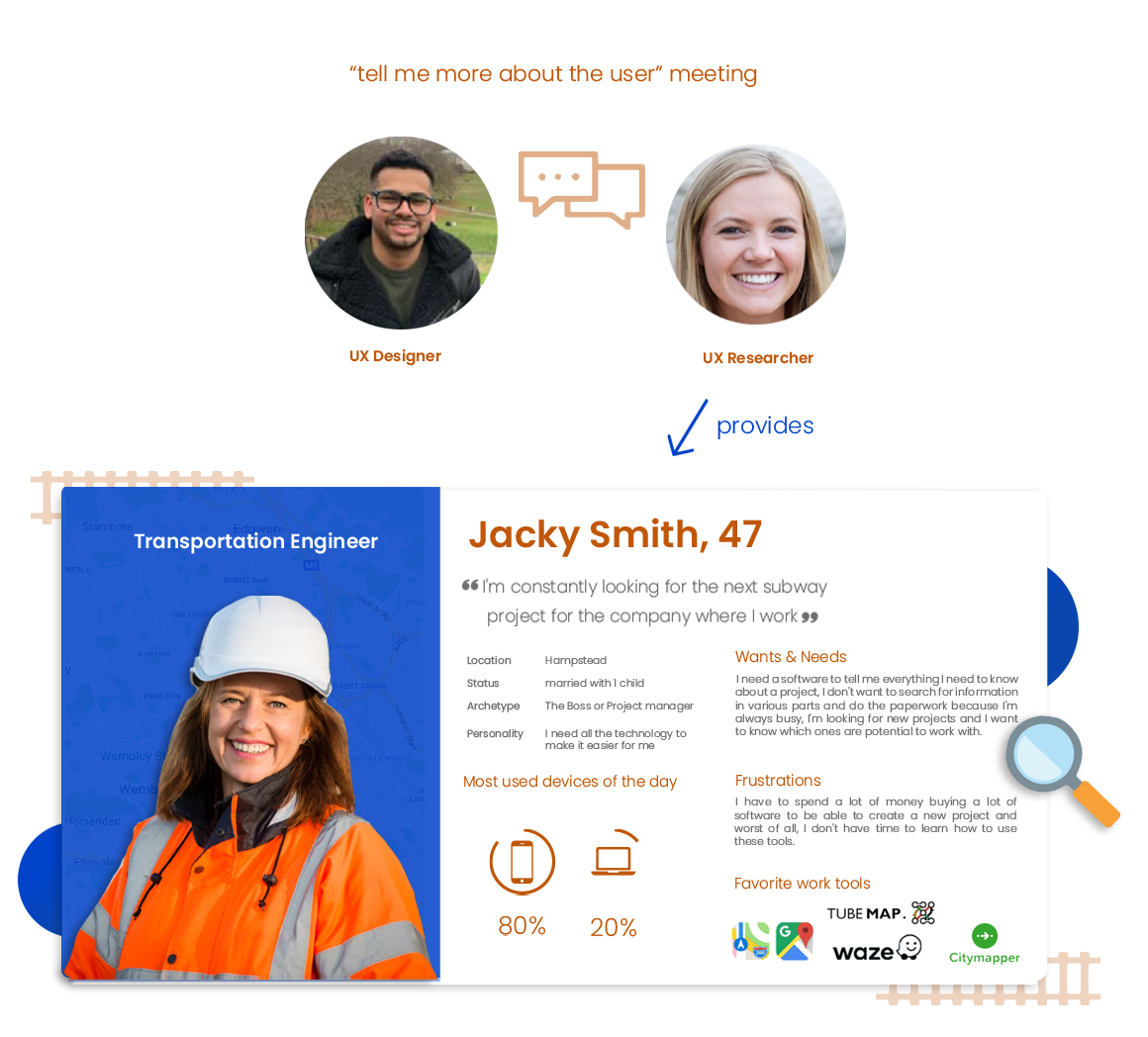
UX Research meeting - tell me more about the user

My objective in this meeting was to get from the researcher the user’s needs, the context of use and favourite mobile tools to bridge them with the company’s objectives, as additional we created the persona

Generally, when I work together with a UX Researcher I always ask to walk me up to thru persona document to highlight the aspects that will be important to achieve the business goal, for example, knowing the user’s needs and frustrations to satisfy them up and turning them into a desire to spend money on our product.

With the UX persona document, I can run diferent activities with each aspect in it to help us to get closer to business objectives.

Estefano Oversluijs
UX Designer
Card sorting - creating the app's value and IA

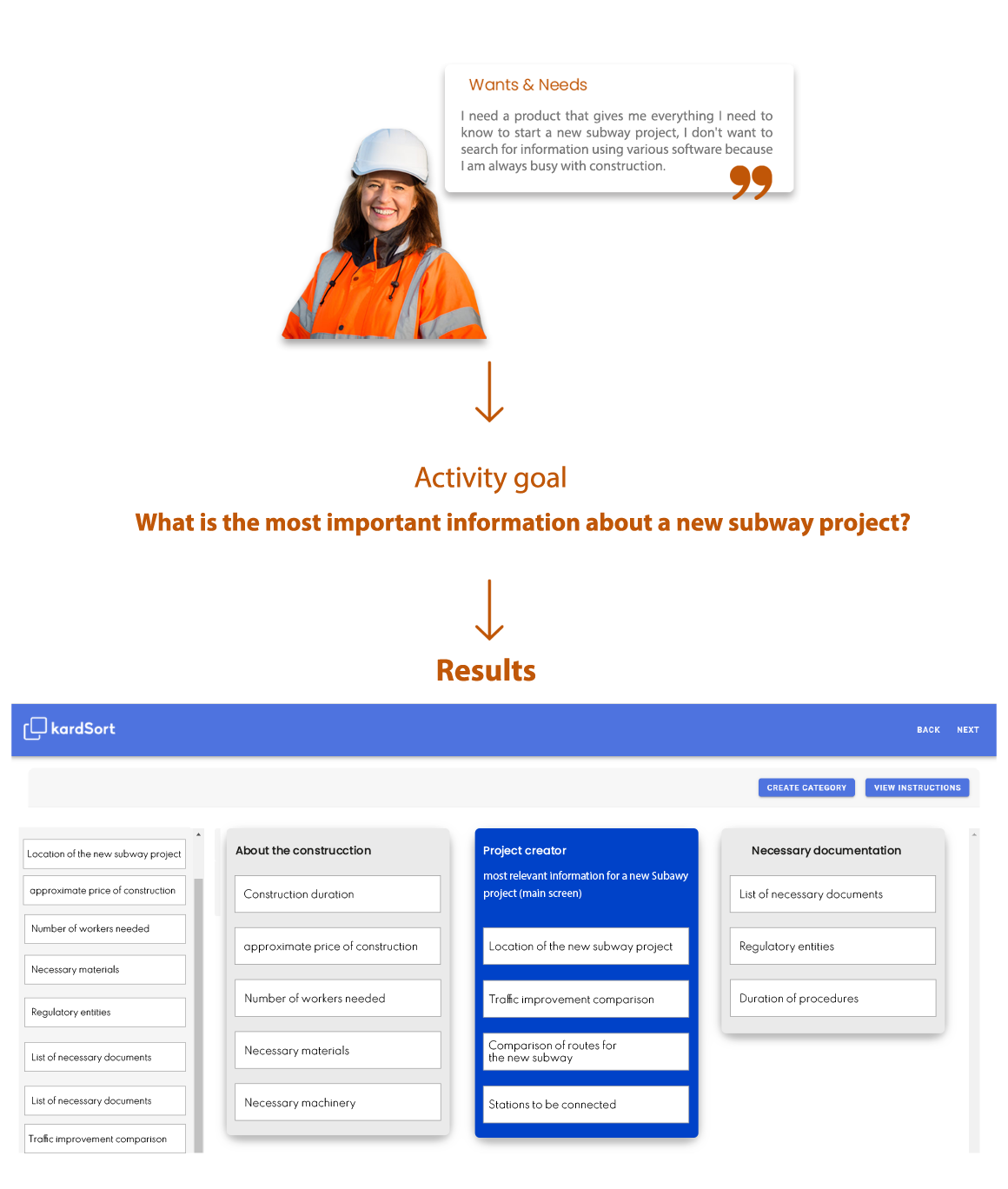
I used the engineer’s needs to create the app’s value thru a card sorting activity to identify what  information they were expecting on a product and to aline this information to give them a sense for the engineers

I ran a virtual card sorting activity because the engineers were too busy to do it in person, I used KartSort, which is card sorting software.

My objective with this activity was to be able to define the AI of the application and group relevant information by screens and content so they can find what they are looking for according to their criteria.

I used unmoderated card classification. After all, users could organize the content on their own with an online tool without the interaction of a facilitator because users are the most expert on their subject and will know how to classify the cards, 15 engineers were involved
Estefano Oversluijs
UX Designer
Achieving the business objective flow

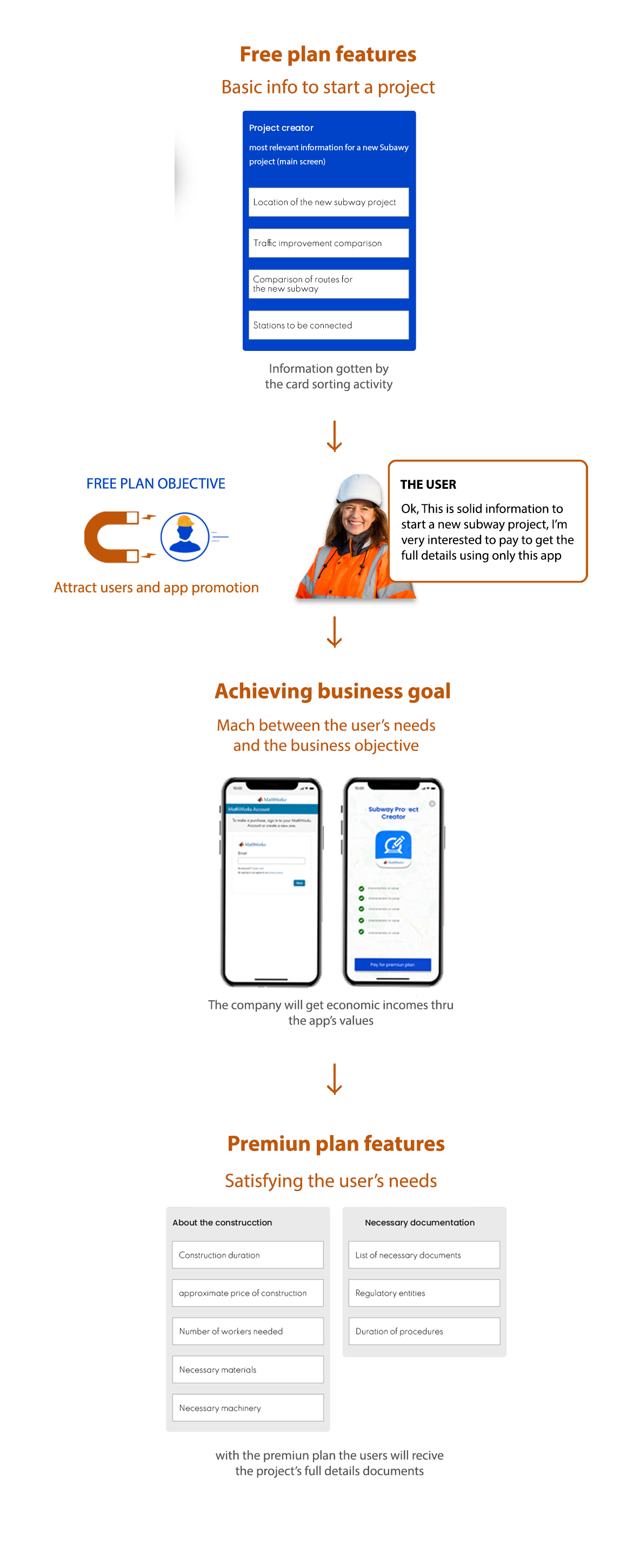
My plan to generate economic incomes for the company using the app’s value was to split the most basic documentation to start a new subway project in a free plan to use and to show the full detail project in a premium plan

Once I could define what is the most relevant information and the complementary information that engineers need to start a new subway project, I created a diagram where I placed the main characteristics into a free plan that worked to attract users and the complementary information to start a new project on a premier plan that will fulfil the company objective.

STORYBOARDS - needs AND CONTEXT OF USE

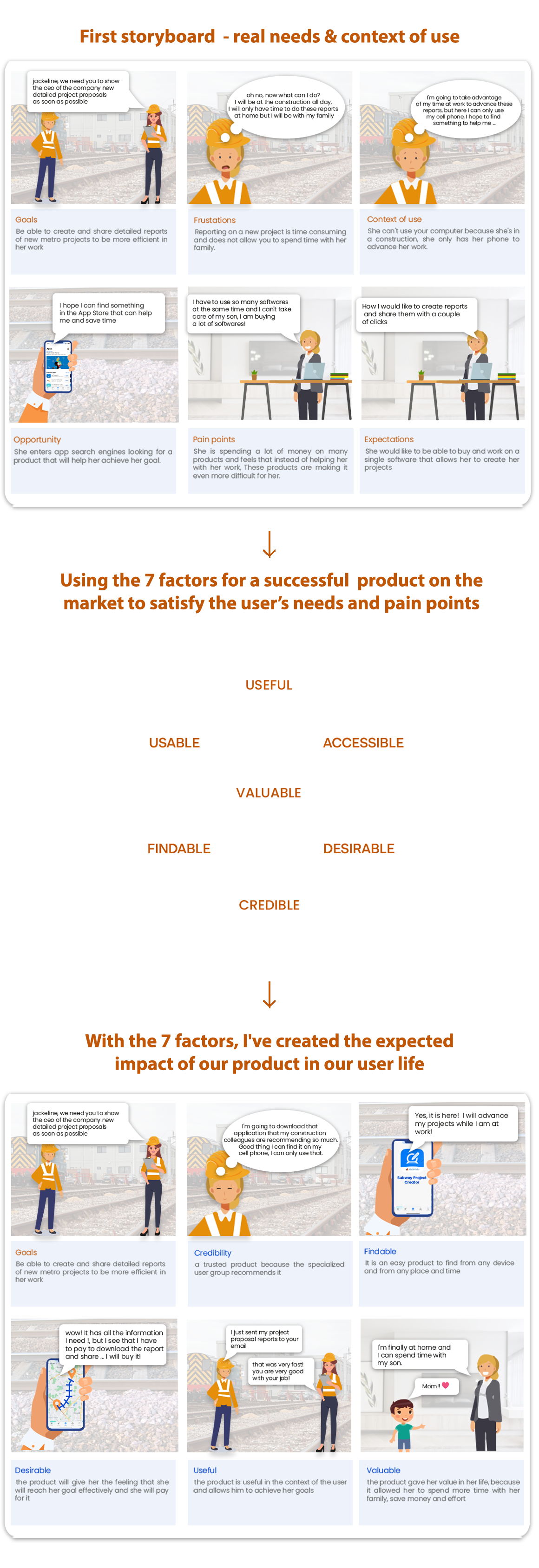
I’ve used the storyboards to illustrate how our product will fit in our user’s lifestyle and how it might look like in their daily context to making it sure that it will be successful in each aspect of their life

I found this dynamic very easy to explain to the team because I consider the storyboard as the big picture of what we were designing, the storyboards helped us to understand why it was so important for us to create this product.

I used  online storyboards tool like MakeStoryboad just to make this process faster, easy to save and edit.

Competitive-analysis report

From our user’s favourite tools I took the UIs that could relate the most to our main app’s features to keep it intuitive for the user, then I made sure that they follow the basic usability standards thru a heuristic evaluation

By analysing the user’s favourite tools opens to door to the inspiration to new possible solutions that we weren’t thinking to include at the first place and helps us to understand how difficult it could take to develop

Technological capacity validation

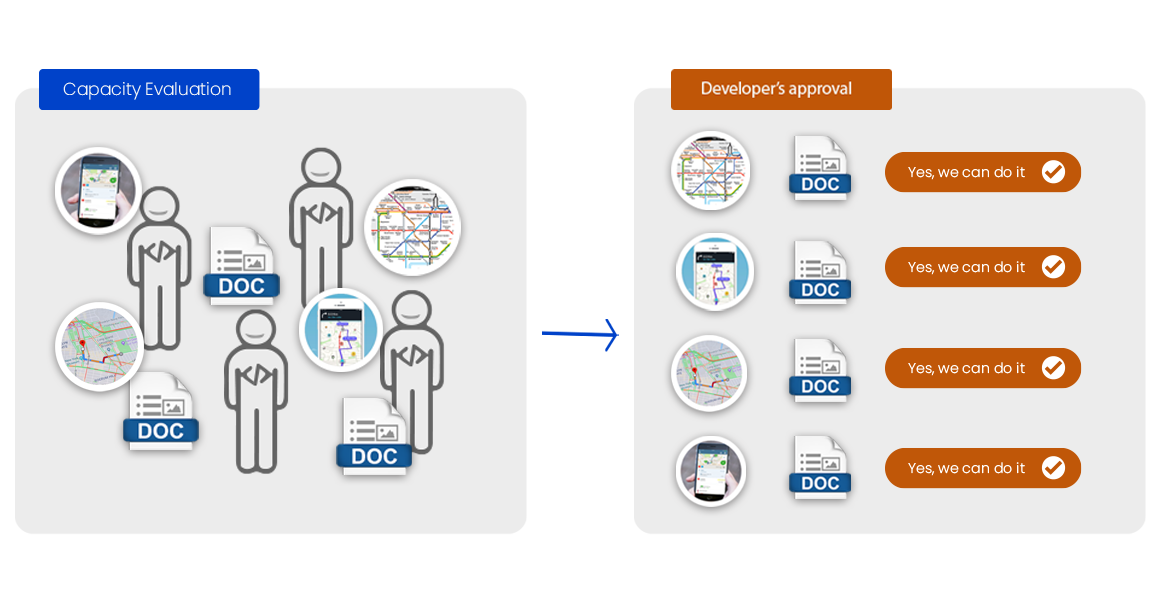
The relevant UIs from our users’ favourite tools helped me as a background for discussion with the developer team to explore our capabilities, their approval was important to moving forward.

I was able to guide the developer team through our most relevant user interfaces for our product, take with the Dev team at this point was important for me because that made me know its technological limitations

task flow diagram

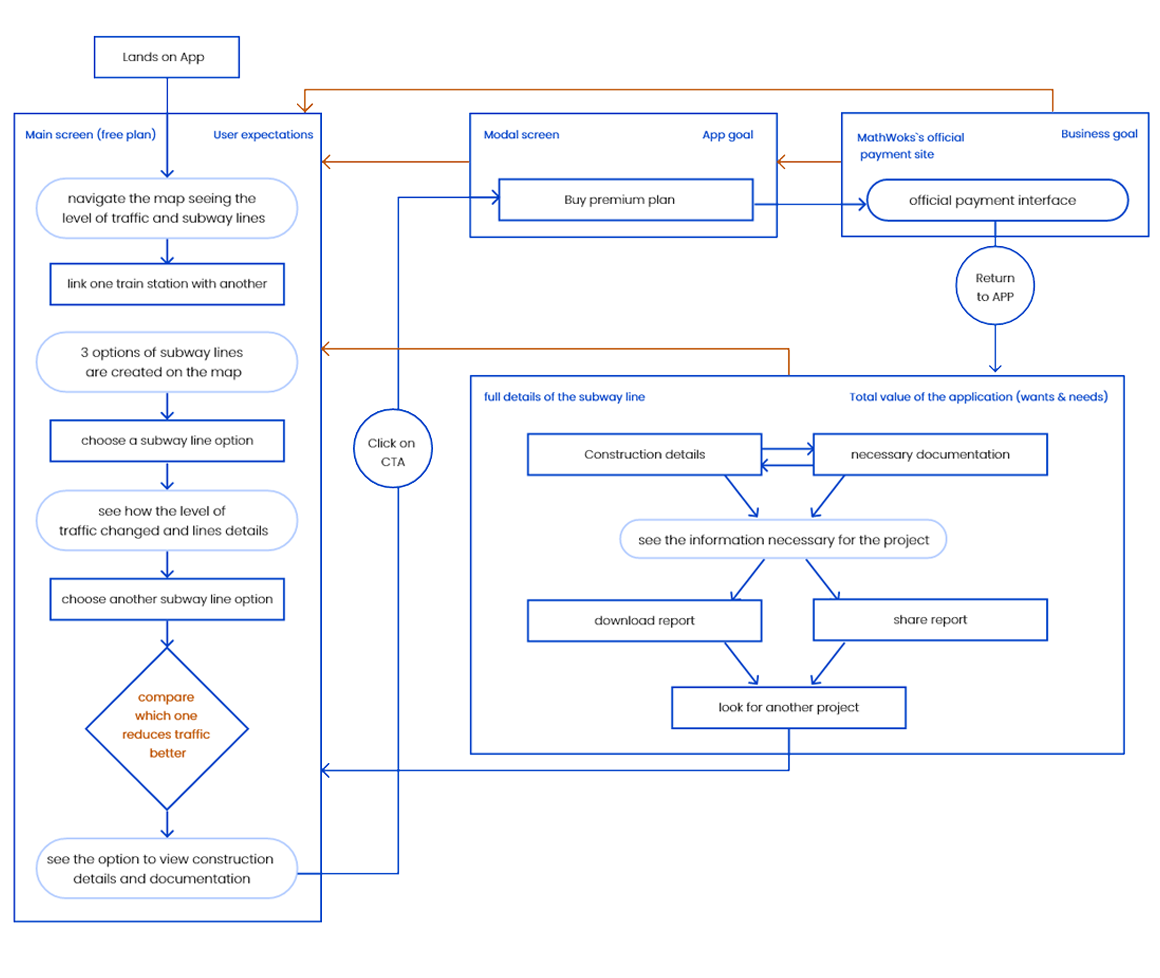
To have had the interfaces sorted out helped me to understand all the features involved in our app, this diagram helped the team to know all the steps that the user had to do to get their goal and to define the features for the free and premium plan

by having all the features involved approved for the developer team I was able to focus on all the tasks that our users had to do to reach out their goals and ours.

this diagram helped me to start looking at our product graphically and to keep to the team on the same page.

paper prototyping

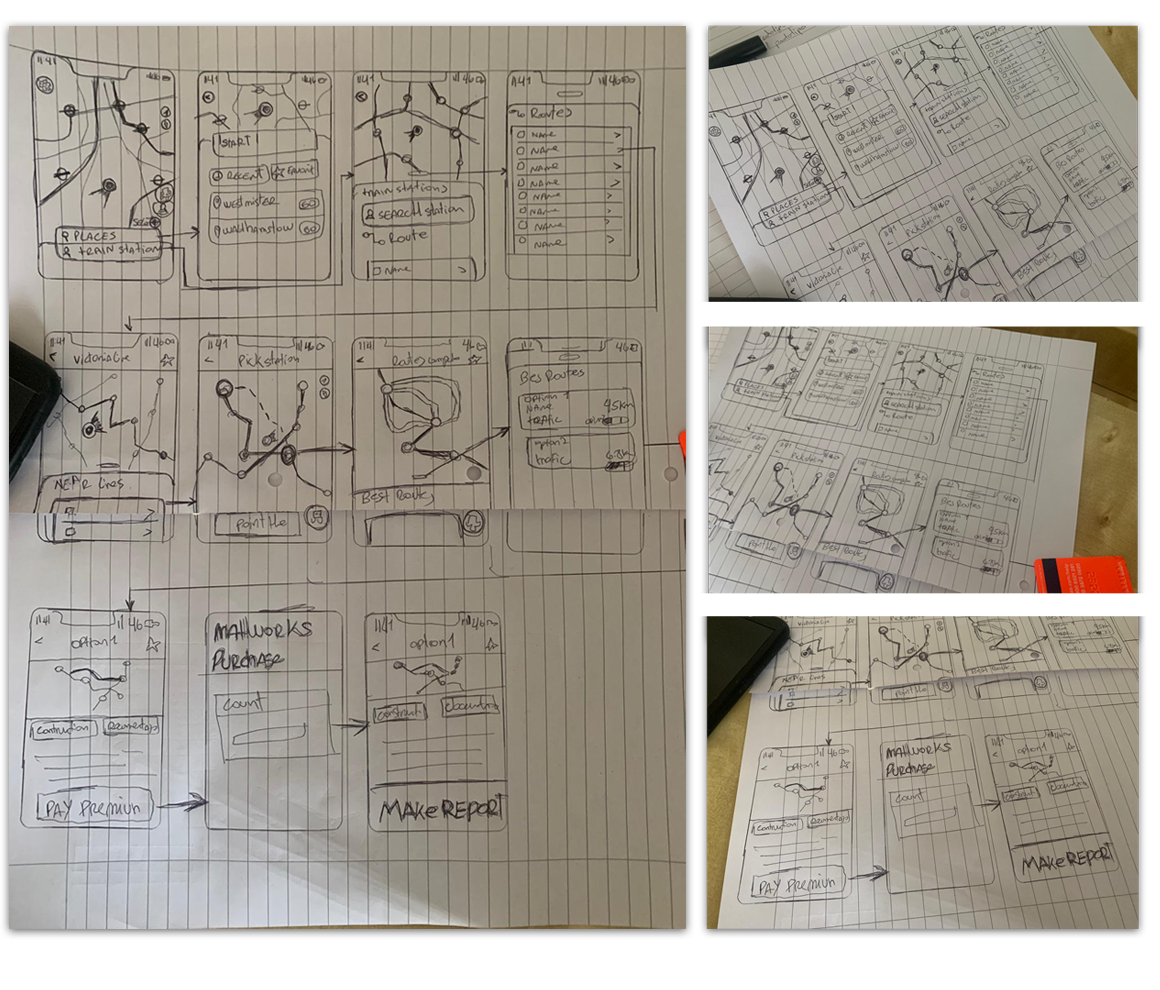
My sketches were the best way to get deep honest feedback from the users, this made them feel comfortable criticizing them because they thought I didn’t spend a lot of time making them

the paper prototype activity helped me to get my first approach to the task flow diagram

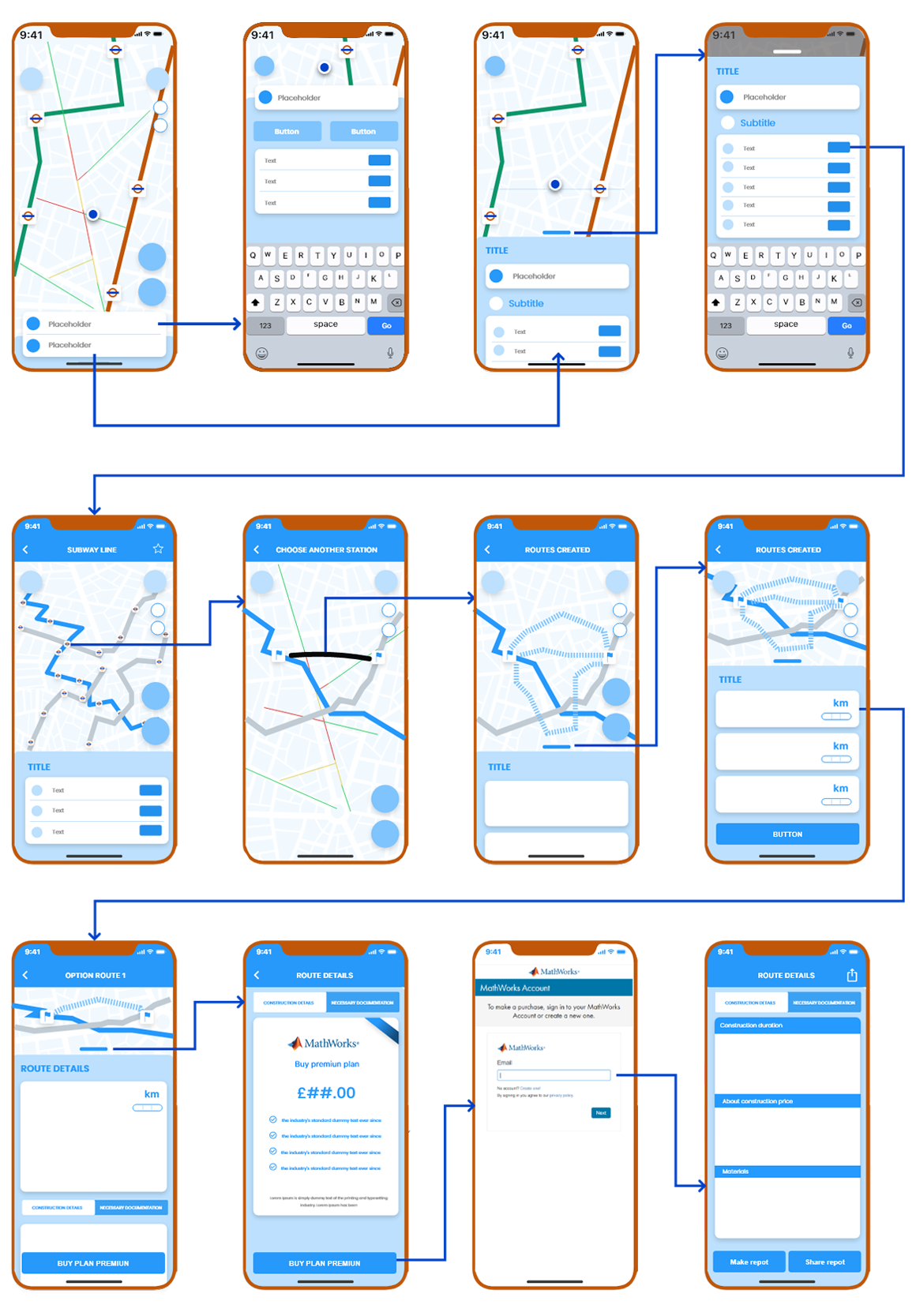
wireflows- combining wireframe and users flows

I used wire flows as a meeting before the final product presentation, this steep was important to inform all the team’s discoveries to the stakeholders and to show the approx to the final product and to define small details

I’ve been using this technique to mix the task flow diagram and wireframes, this diagram helps the team to visualize the whole app’s appearance and to understand the reason for each screen. It gave sense to the developers work.

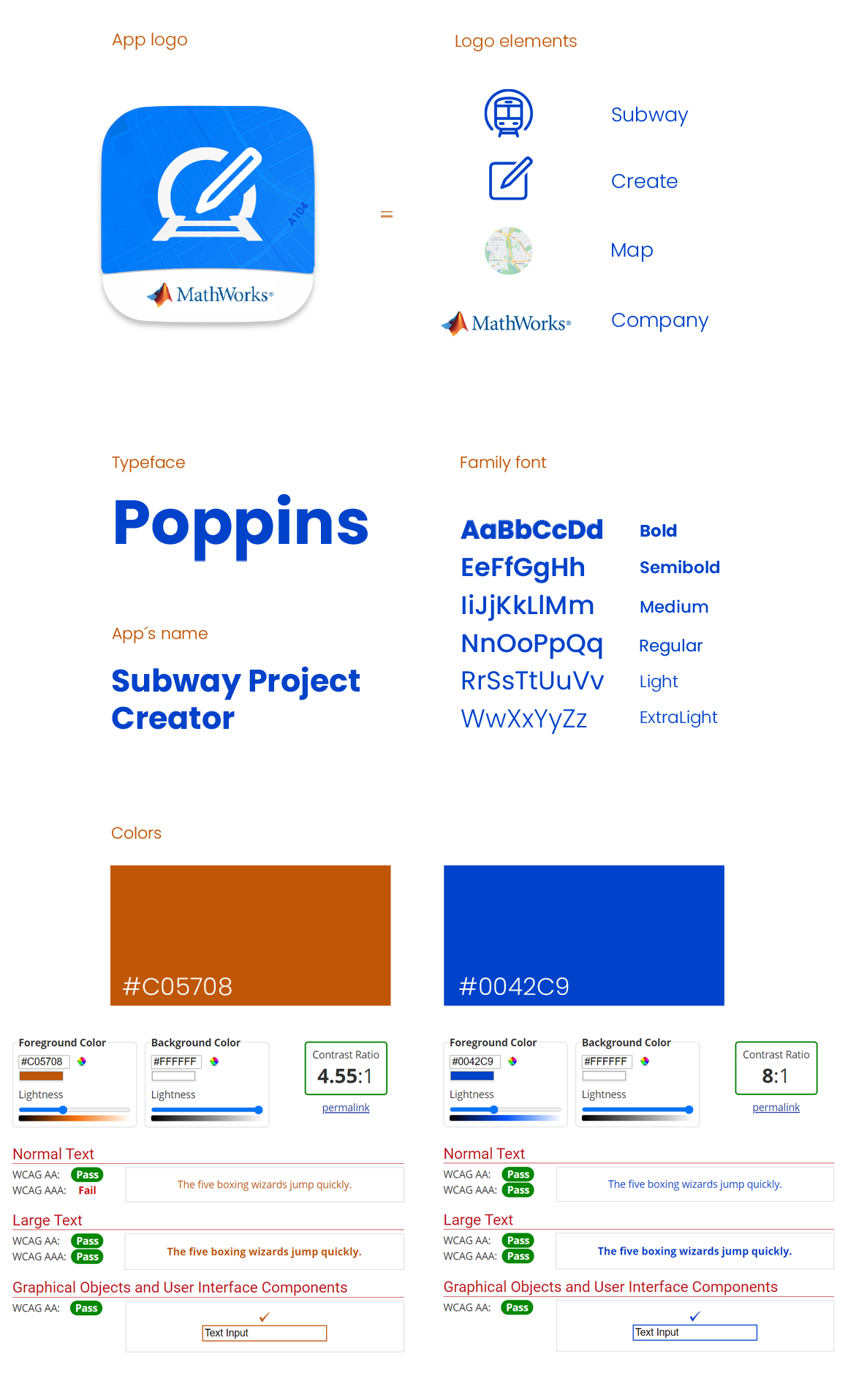
app identity - Creating the app's visual values

I used my graphic design skills to develop the personality of the application before creating the hi-fi prototypes, mixing all the parties involved to convey the value of the application to the target audience

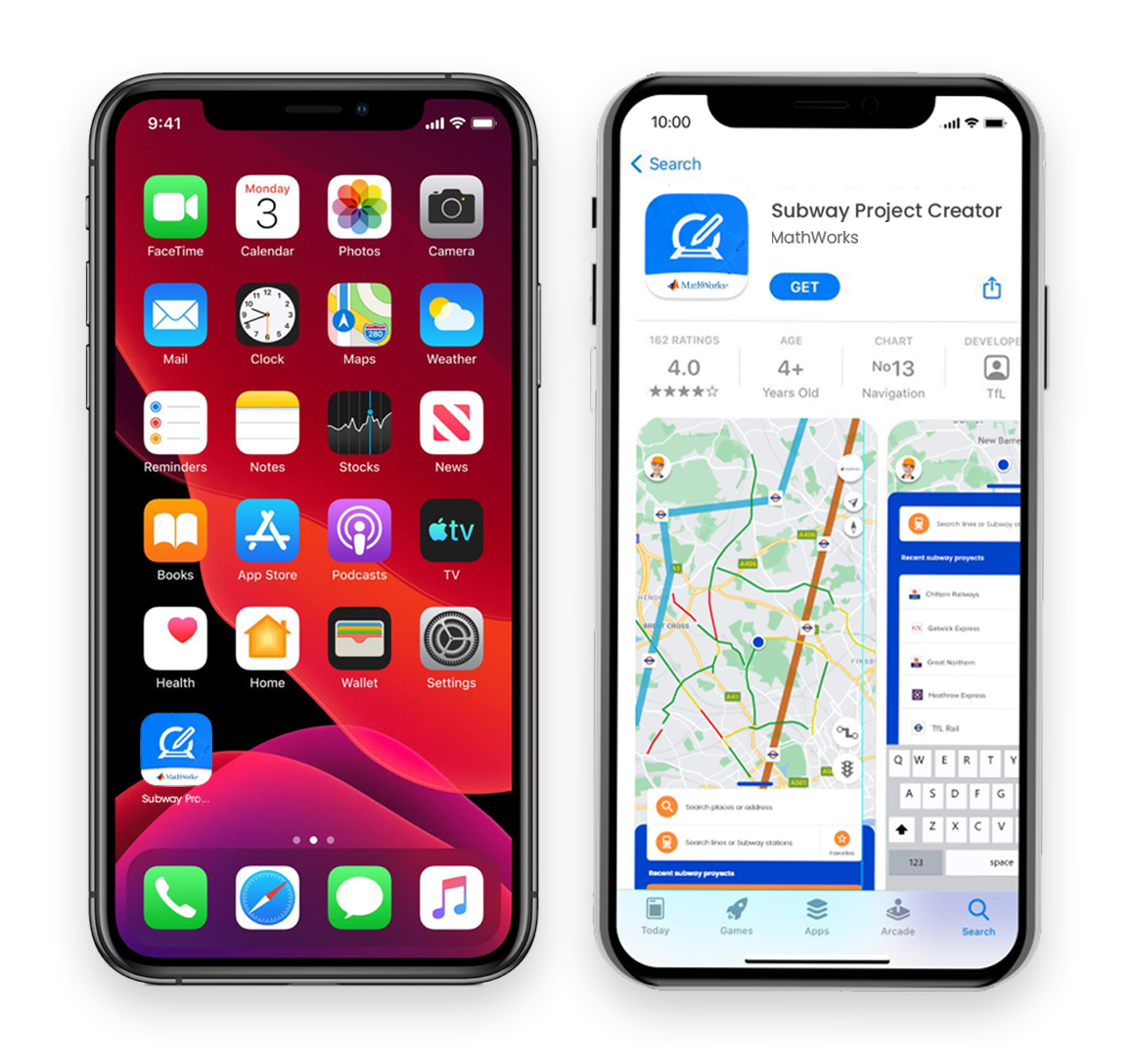
My goal was to connect the product with the target audience, I worked on the logo, the fonts, the keywords of the applications, the photos and the values of the company in the ads.

Finals ui designs

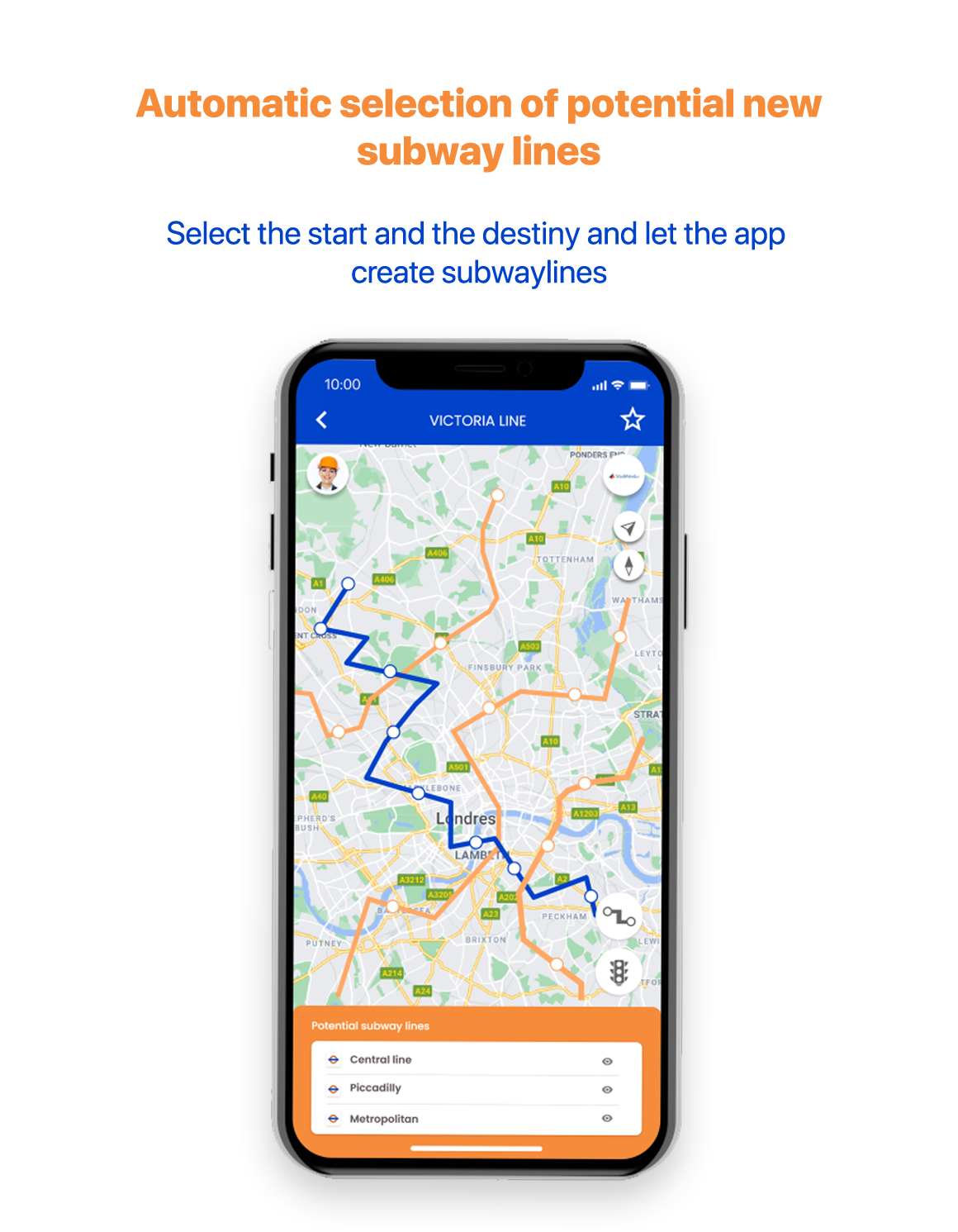
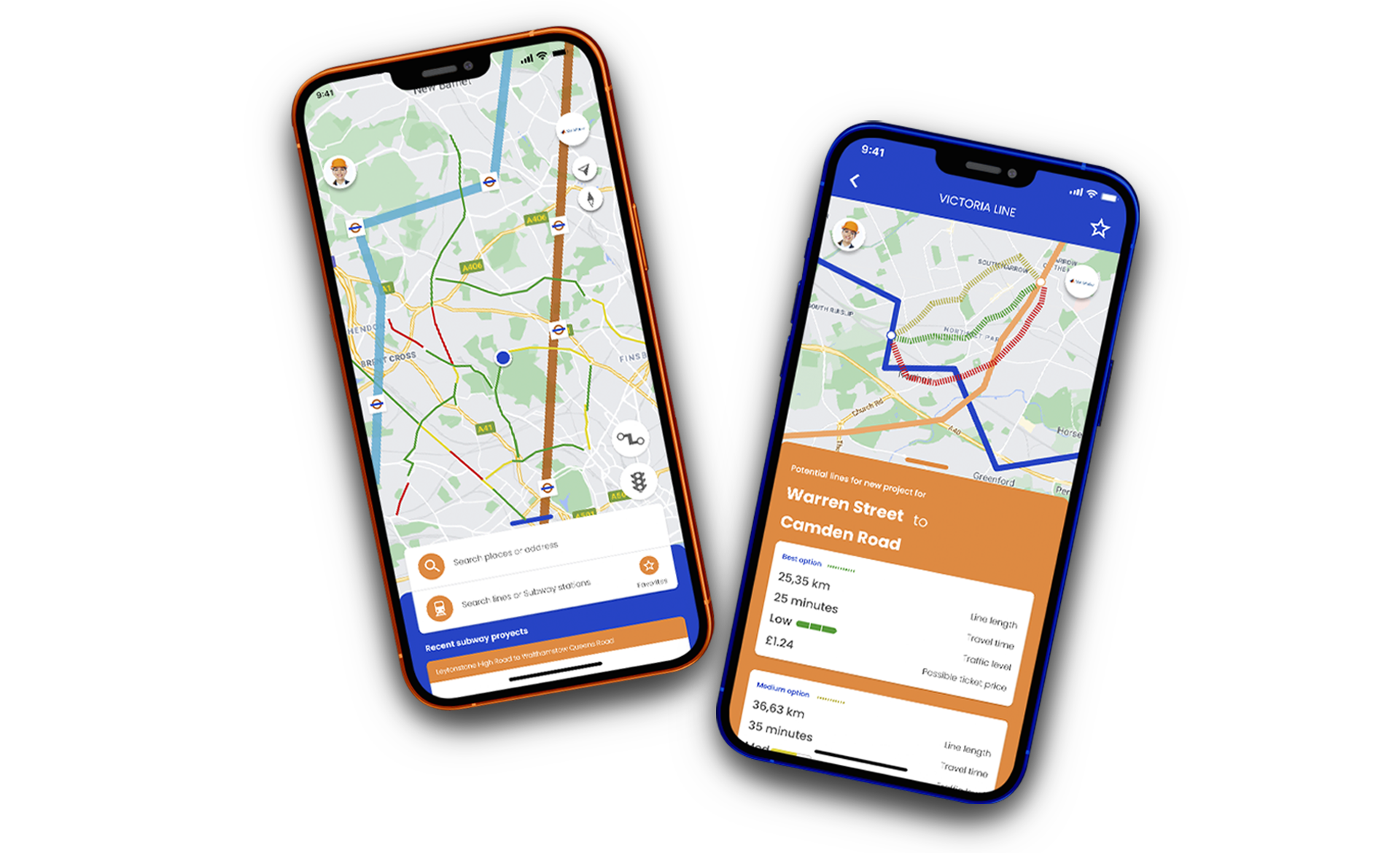
when the user starts the application the first interaction that he can see on the screen is the necessary information about all the existing subways and the level of traffic in real-time with this they can compare the lines that have the highest level of traffic around them

these features help to go directly to the place or metro lines where you would like to start a new project, these design features are important because they prevent the user from searching for places manually on the map

When choosing a metro line or starting point, the application will determine which existing metro lines have the greatest connections for new user projects