User Interface • Design System • Wallet • Finances • Prototyping
About the project
Wallet app to help home design industry to track their constructions expenses
Vergo’s CEO and founder was in contact with me from New York to Zurich to ask me to help him to design and finish the interfaces of their finance app only, I had to consider that Vergo’s founder team had finished with their market research and ideation and they had a list of features they wanted to implement into their app, I had to create their design system and component library, my main challenge was how to integrate these features in the most intuitive way and validating my design with the teams based in New York and Mexico (PM and Devs).
Rol
UI Designer
Visual Designer
Prototyping
Branding
Stakeholder managment
Devices
Mobile
Products
App
Wallet
E-invoicing
Payments
My task & challenge
I had to merge multiple UI finance solutions using wireframes, data analysis, market research, and communicating my ideas with team and stakeholders
My main duty was to analyze a set of apps including bank apps, invoice makers, money transfers, wallets, and expense lists, and to discover how these flows have been used for the main interfaces also to understand their value propositions which were attractive for the creation of the Vergo app, I had to be able to redesign them with a design system that I had to propose and group them all in a single app that could make sense to the users.
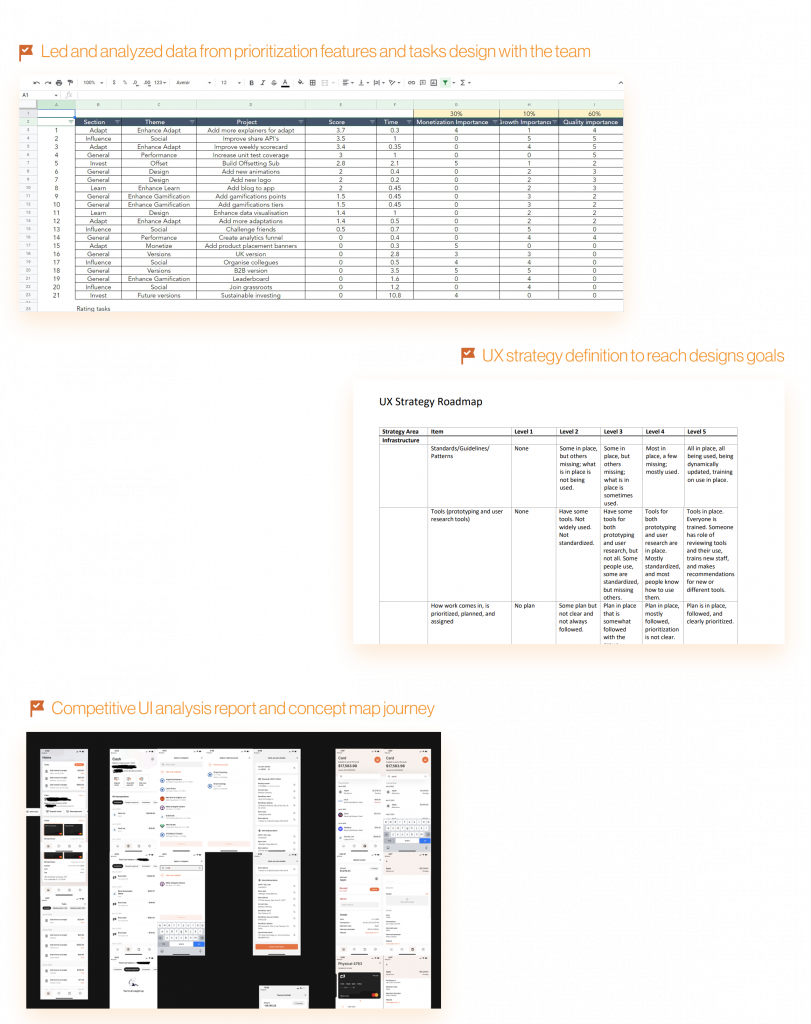
Part of my main challenges were to work closely with the stakeholders and team members to create road maps, UX strategies to overcome deadlines and users’ designs expectations, for this, I led workshops to prioritize UI design features to manage the stakeholder’s product-release market expectations and to give an order to my work design process to do this I used Google Sheets to save our progress, this helped me to analyze data and to work on specific design features, involving the stakeholder to this process helped me out to have a clear understanding our of what were the most valuable aspects for the business.
My contribution
I was focused on to provide the best information architecture and the design of the UI to make it usable and enjoyable
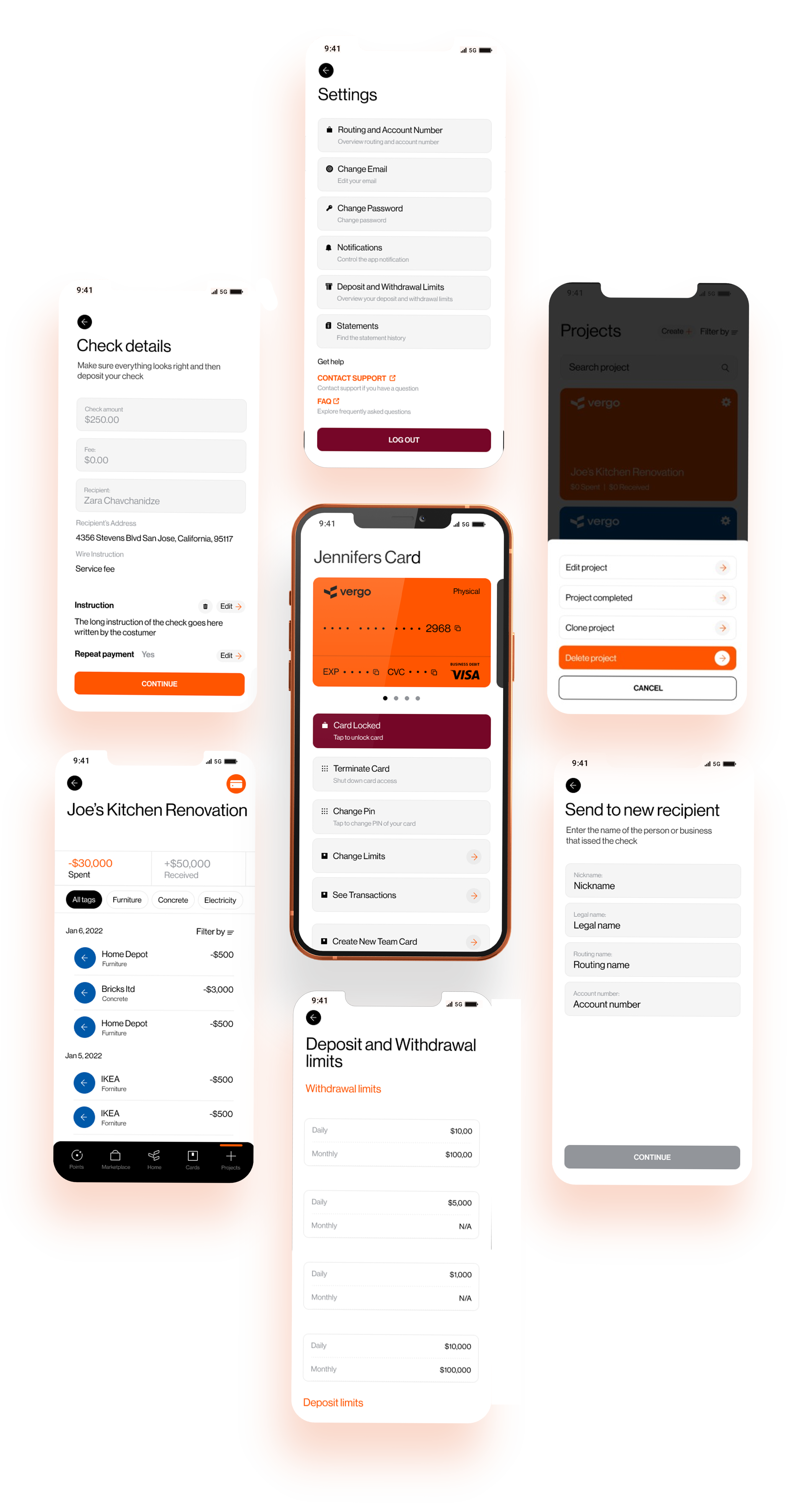
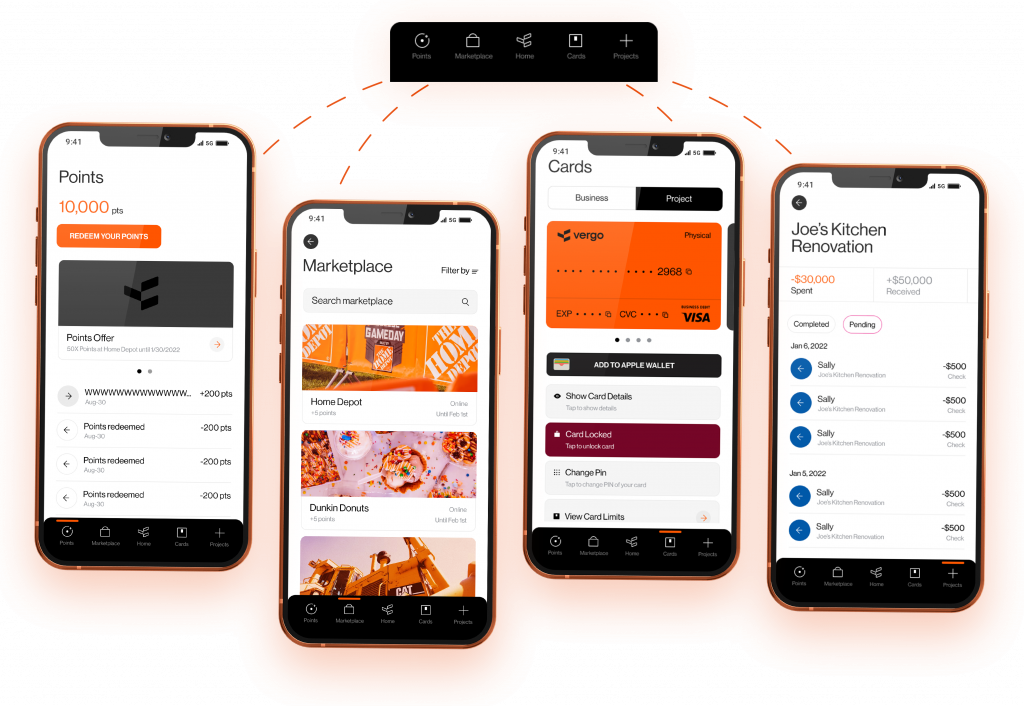
I was in charge of the interfaces analysis which the team wanted to implement in the app, my proposal was to put them in the bottom menu bar, because they had different outputs and were not related to each other, I was in charge of redesigning and mapping out the requested interfaces that the team gave me as a reference, I was detecting and creating the necessary components to give consistency to the use of the app in general.
“Vergo blends elements of banking with the functionality of project management and accounting software to serve the specific needs of designers, architects, and contractors.”
Architectural Digest
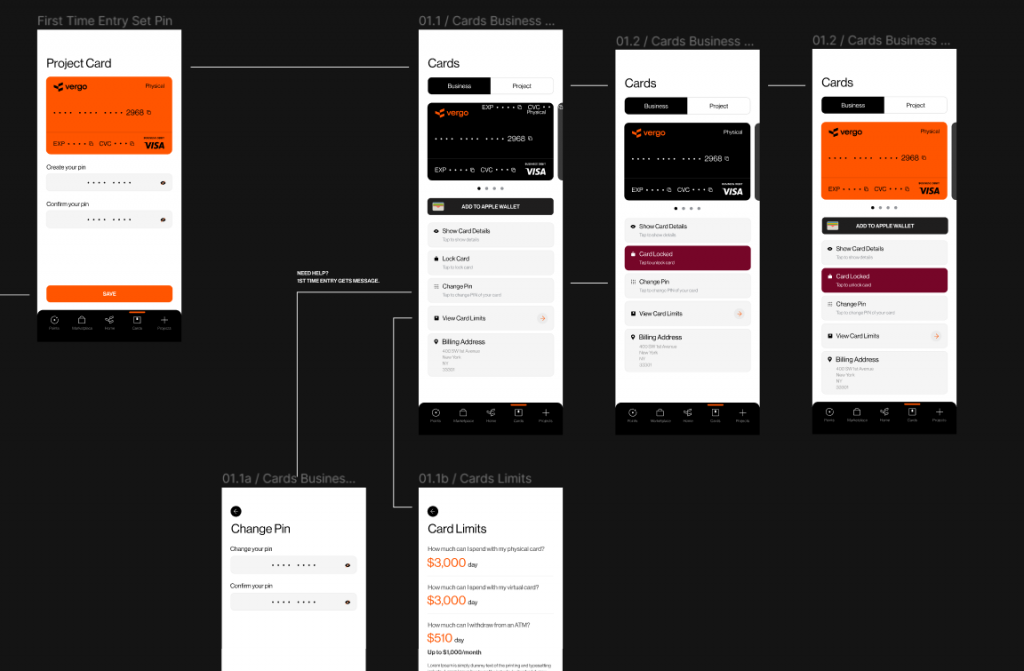
wireframe flow
I had to create a user flow with all the valuable features the stakeholders wanted to merge into the app, it brought clarity to the creative table, and it was important to me to communicate how the user was going to navigate between them.
Wireframing
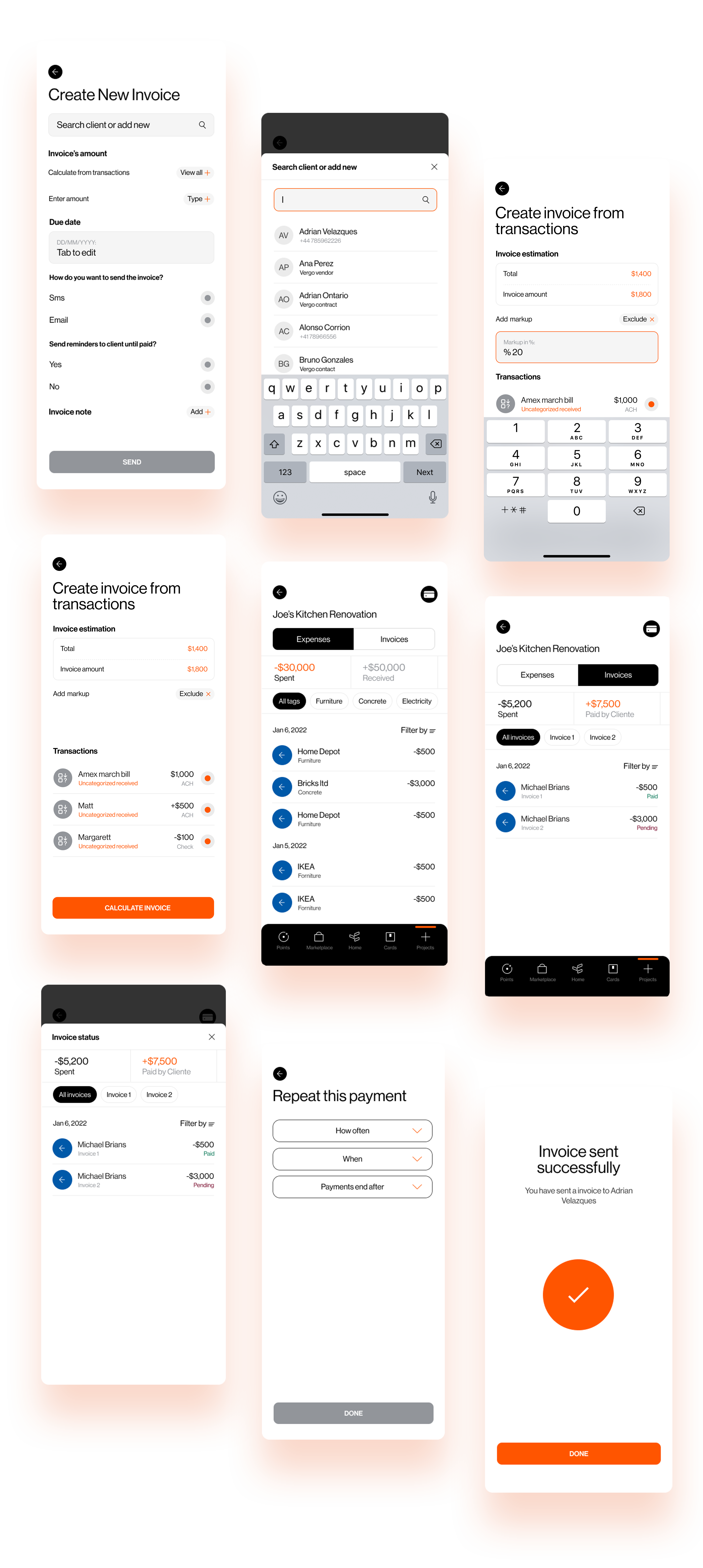
When the users were carrying out a renovation project, not every time were expending on supplies, they had to pay for services to finish their renovations, hence I designed an interface where users can create invoices and send them to their service contacts and get notifications when they are paid.
Design system
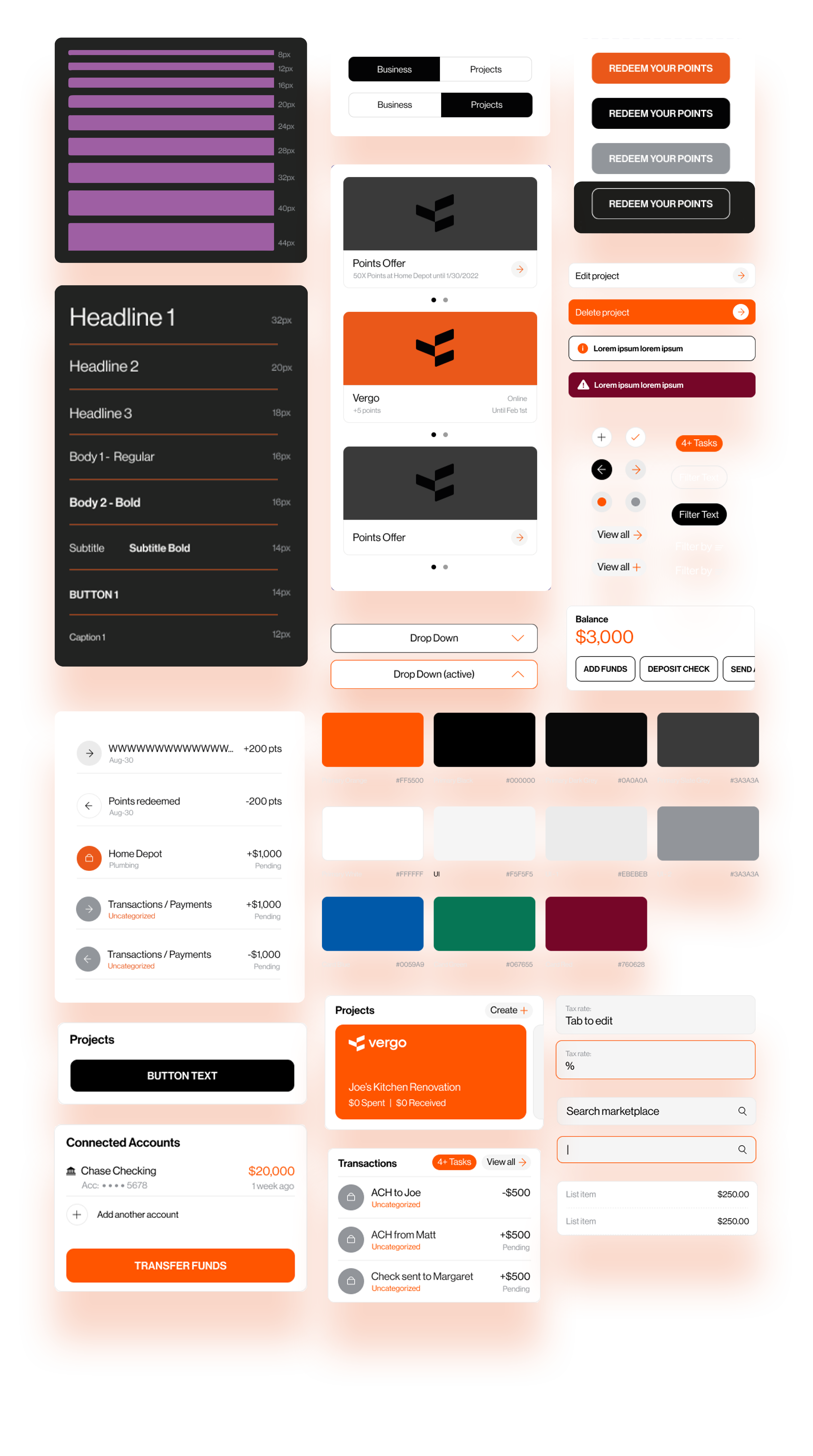
I had to design a UI library that could make sense for the users fully branded with an accessibility approach design
From the start I was focused on the creation of the design system in Figma based on my interaction with the app references to apply changes throughout the process efficiently and to keep things highly consistent in the app.
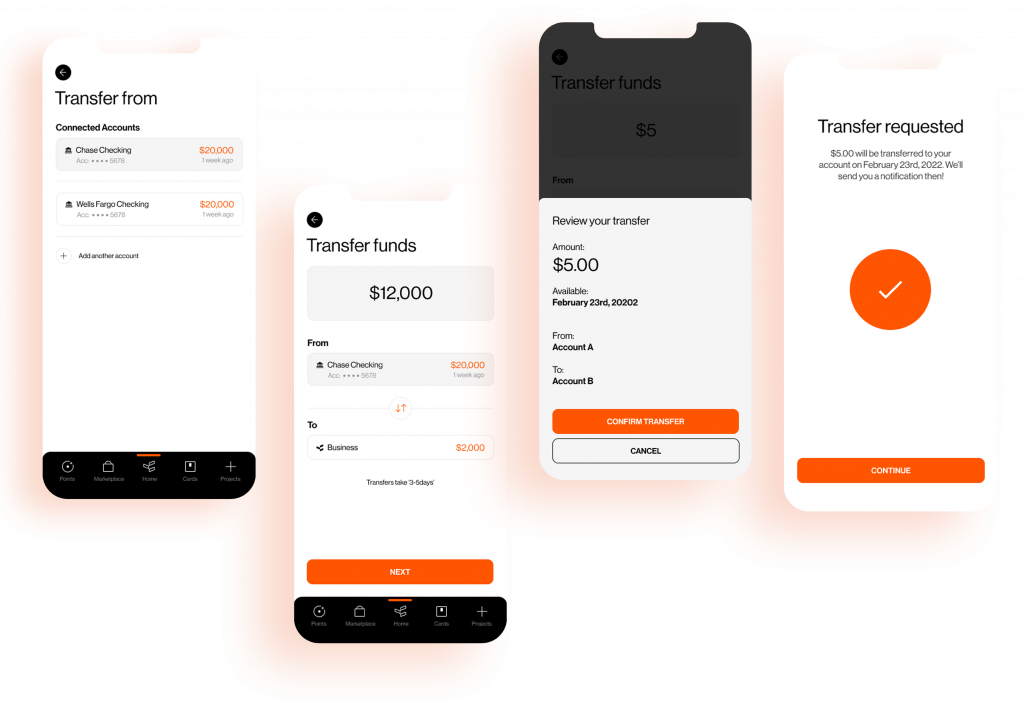
Money transfer to your renovation project
I used a regular money transfer UI to help user to charge their Vergo wallet easily with money by linking the app with banking apps
Most of the users were holding multiple bank cards to fund their renovation projects or was a group with different cardholders, to help them to track their funding bills for their projects I had to design a flow where the users could log bank cards and deposit the total budget they wanted to spend for their projects per card or cardholder.
Expense tracker
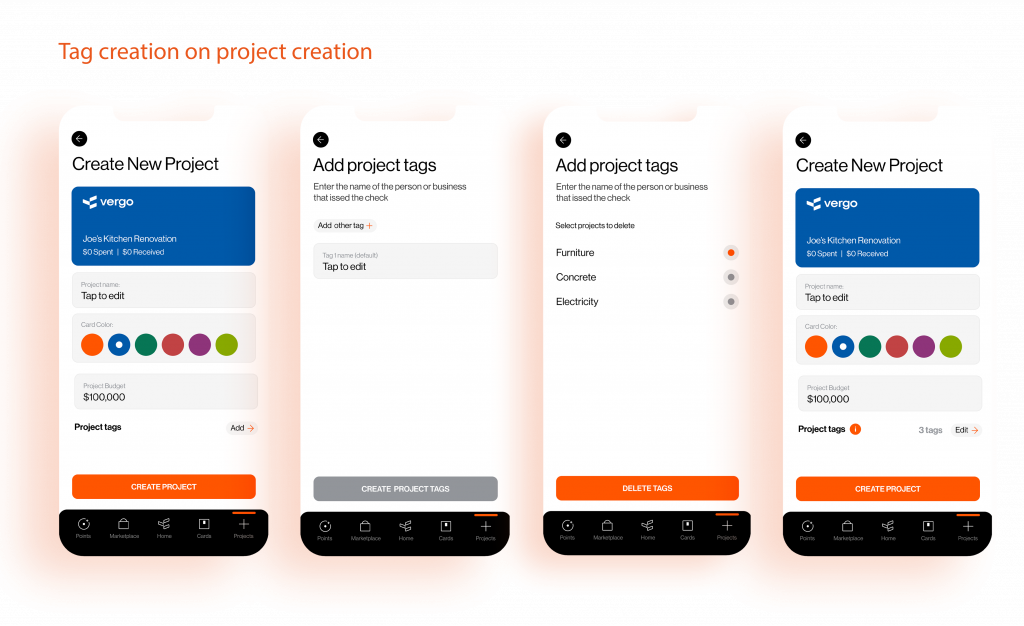
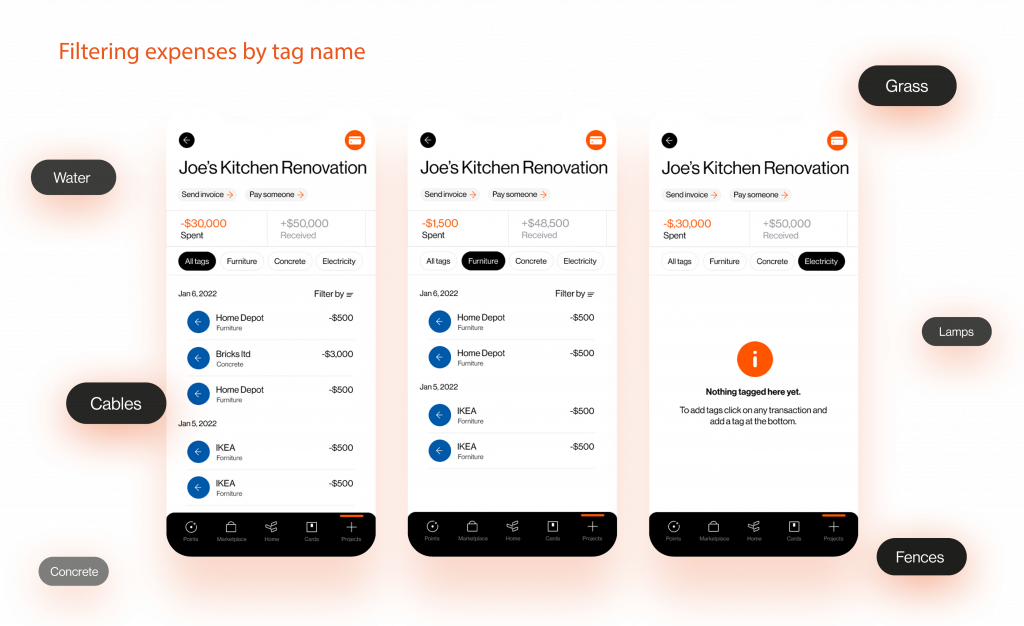
I used color coding and name tag creation to help users to distinguish and filter their projects and specific expenses in it
I had provide to provide to the users with a clean and easy design that help them to understand their renovation expenses, to do that I design an interface where they could create the expesenes tags because every project had a different environment such as gardens, pool, garage, furniture, etc. This would allow the user to supervise their expenses by categories they can only understand and expect.
Full iconography
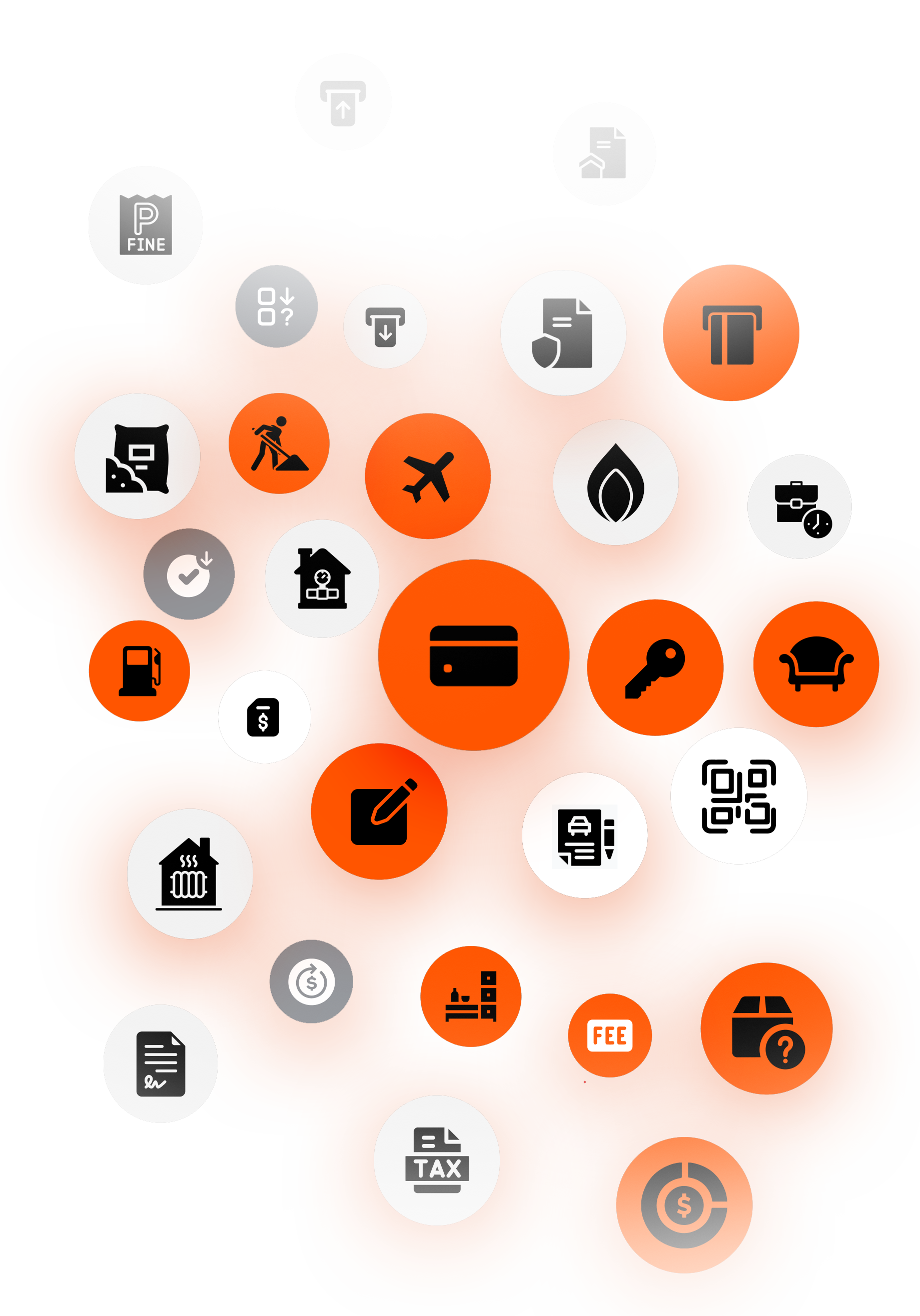
The icons I decided to include in the app were inspired by the most common renovation transactions and financial expenses the user could come across, my challenge with icons was to make the difference between the system icons and the expenses to overcome that I used color code.
Project wallet
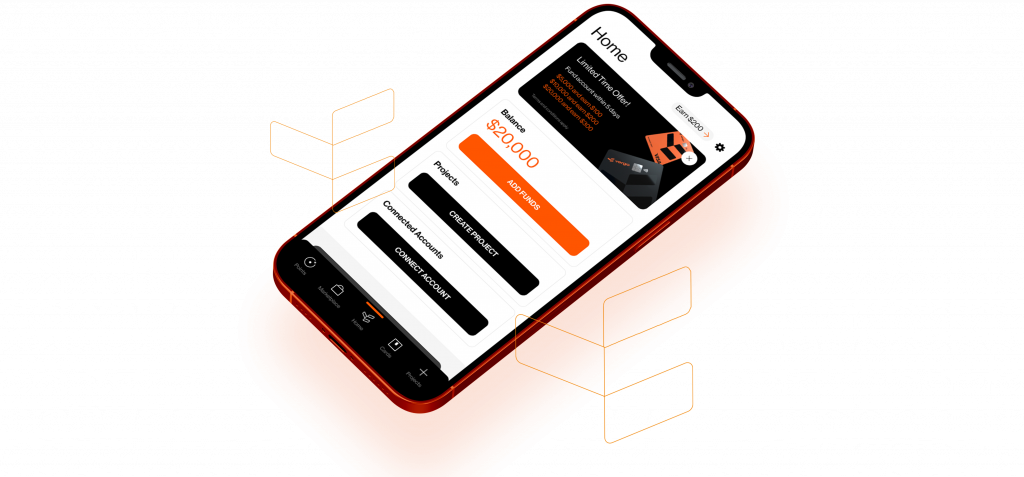
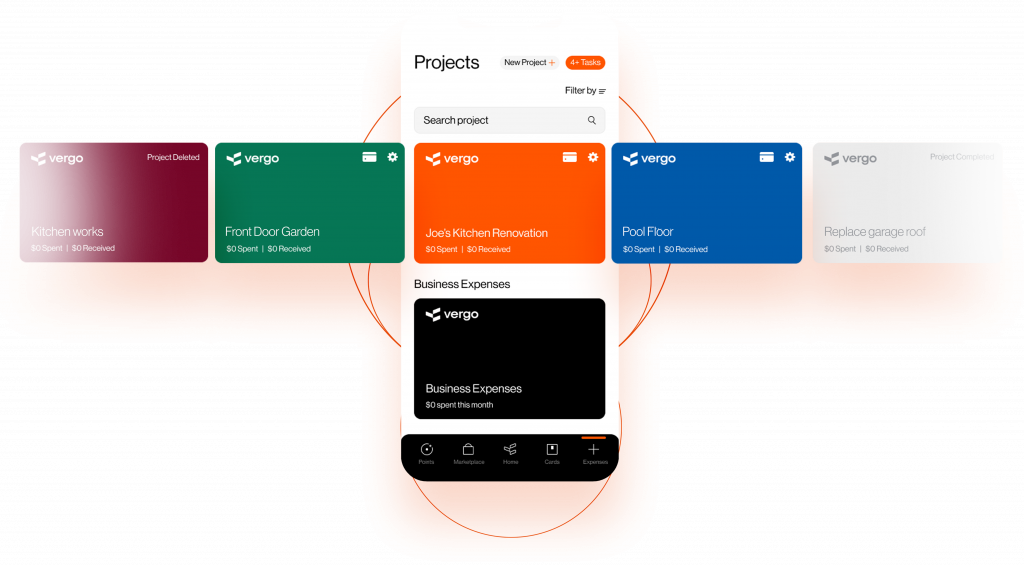
I decided to place the main app value upfront (the card projects) with an easy drag carousel interface to help users start using the app
To allow the user to inspect their expenses I used the most well-known banking interface, the card slider carousel, like any other banking app where you can select one card and check all the costs related to it but in this case, the project expenses, because a project has different states I used color coding as well to differentiate states between them.
Create, send & inspect your invoices
When the users were carrying out a renovation project, not every time were expending on supplies, they had to pay for services to finish their renovations, hence I designed an interface where users can create invoices and send them to their service contacts and get notifications when they are paid.