
Disclaimer
The development of this application was made for Peruvian users under the context of a quarantine, “5las” is the real name of the application and is a play on words in Spanish, when you put the words “five (5) + las” together in Spanish sounds like “without queues” or “skip the line”. This project was our small contribution from the team to society to be able to counteract the advance of coronavirus contagion✊
About the project
Store capacity control to prevent the spread of covid-19
The objective of this project was to create a solution that helps users go to stores in a safe and organized way and to the business owners control their store capacity control during the lockdown period. The main challenges on this project were knowing how to carry out a task without direct contact with the users and the team members, developing the process in the shortest time possible, and making a product free to use. knowing how to carry out a task without direct contact with the users and the team members, developing the process in the shortest time possible, and making a product free to use.
Rol
UX Researcher
Visual Designer
Prototyping
User Testing
Branding
Devices
Mobile
Desktop
Products
Mobile App
Landing page
Web platform
Ads
Project content
Understanding the problem
We couldn’t reduce the population or create more stores to reduce crowds, but what we could do is arrange and inform the users how to go to the stores in a safe way.
this startup project was born due to the long queues that customers were making outside of essential stores and shopping centres as a result of the social distancing measures by Covid-19.
Understanding session & Initial team discussion
How we got involved in this
The start of the project began with an initial virtual meeting with all team members.
The objective of this understanding session was to create shared information between the stakeholders and the team members.
where we discuss the problems and challenges that people and companies had in common during the quarantine to prevent the spread of Covid-19.
The points that we discovered were:
problem one
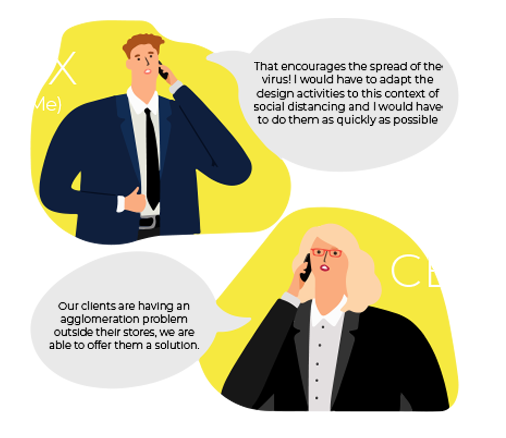
How to make a totally remote UX project?
problem two
Carry out the project activities as quickly as possible
solution for problem one
Work process without user contact & adaptation of activities remotely
The main problem I had in this project was to run a project without having direct contact with the users to maintain the social distancing.
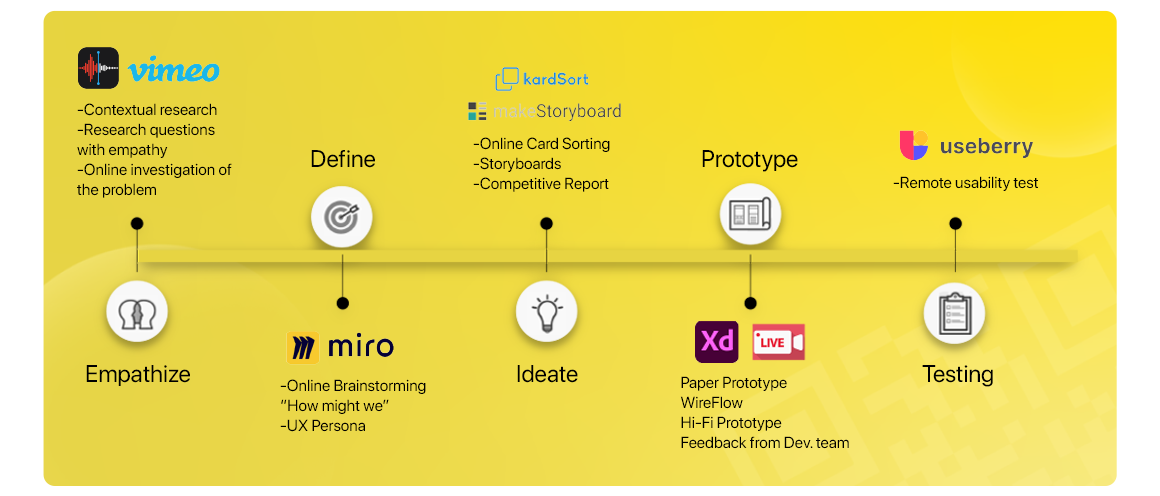
The solution I discovered for this problem was to define and adapt the UX activities and tools of a traditional UX project to a totally remote context.
solving this problem helped me in my experience as a professional to be able to explore new technologies to tackle problems
solution for problem two
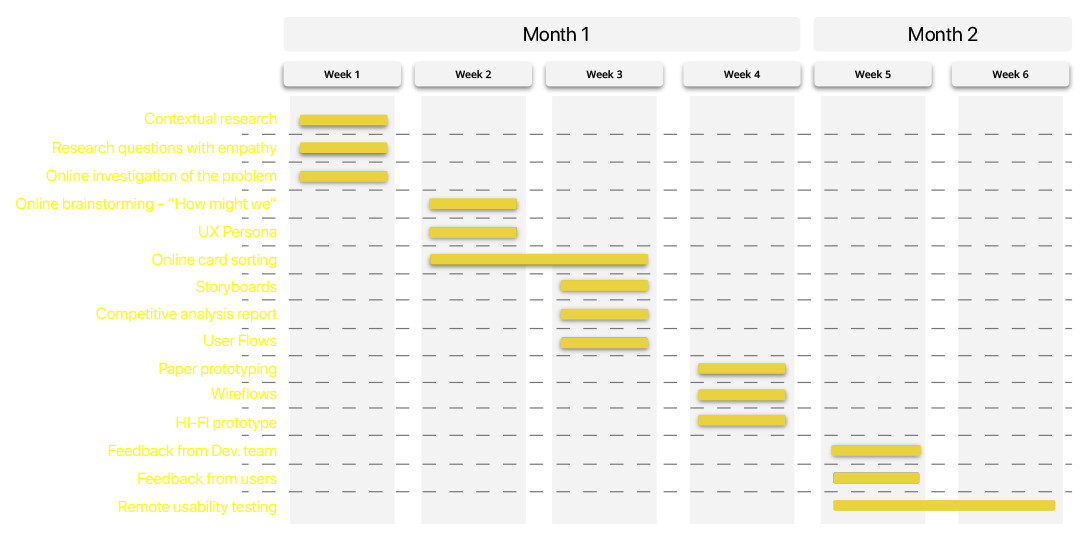
Adapting the design process to the circumstances and the user needs to create the road project
Once I managed to define what the work process activities would be, the next challenge for me was to carry them out as quickly as possible.
Because this product was urgently needed to be launched on the market to reduce the spread of covid-19.
Contextual research
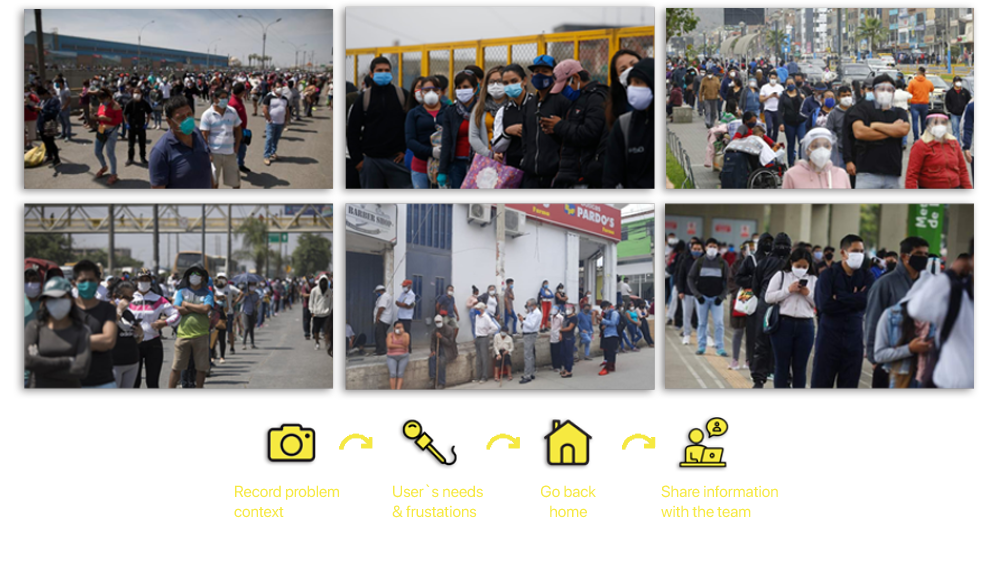
I used photos for my research to maintain the distance and to save my findings because I couldn’t expose myself too much
To help me discover who our users would be and their needs while maintaining social distancing, my study of users was based on photographs, because the opportunities I had to see the user in their environment would be few due to the curfew, User registration using photographs would allow me to save the information and take it home to discuss it remotely with the team.
conducting interviews was a way of empathizing with users and obtaining real information about people’s needs, desires and fears.
my goal was to have an honest and intimate opinion of users about the context of the pandemic and the crowds outside the stores.
Online Brainstorming with the team - using “How Might We” questions
How can we avoid the crowds outside the stores to avoid the spread of Covid-19?
After presenting my findings to the team, it was time to saturate the work table with experiences and ideas to create an information wall to find a solution to the problem.
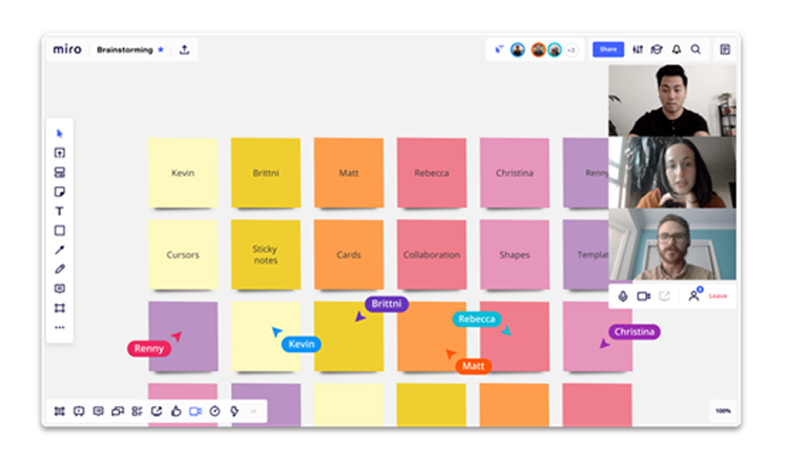
We ran our online brainstorming using Miro to keep the social distance.
MIRO is a collaborative digital platform to draw diagrams on a whiteboard in real-time with video conferencing
Brainstorming results - product's features
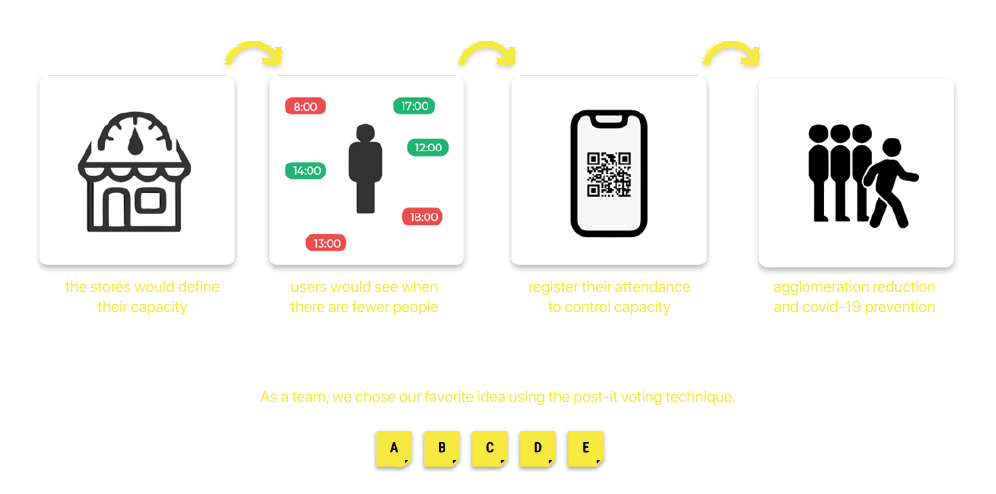
Like the cinema, check the timetable, the capacity and book your attendance in advance
During brainstorming sessions with the team, we began to discuss the best way to reduce non-contact and out-of-store crowds.
What we decided for the MVP of the product would be the generation of QR tickets, this interaction was already known by users to enter contactless public transport and we wanted to use this feature to enter the stores.
To generate a QR ticket, the user would first have to choose their closest or preferred store and see what hours the least amount of people would have to avoid queuing and being in crowds
Who will use this product? - UX Persona
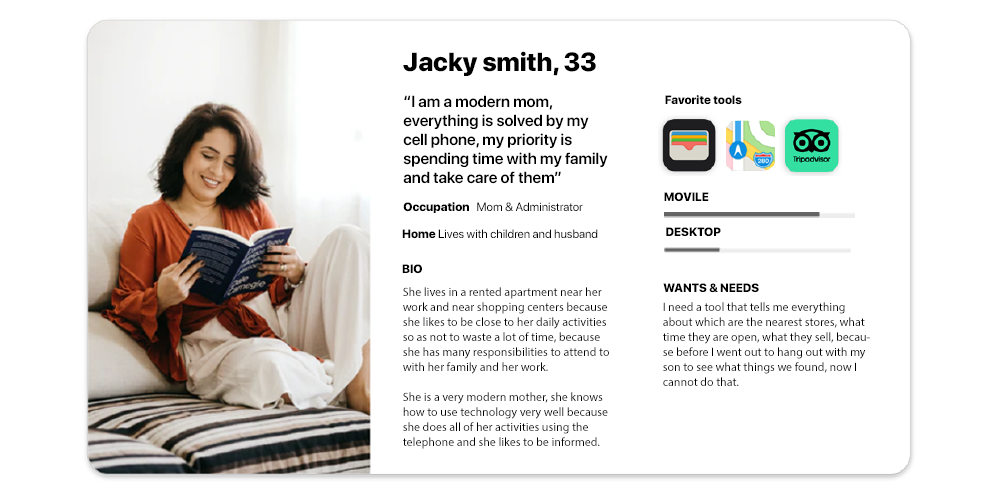
I could represent our user by summarizing the common needs and frustrations of 34 people using empathy interviews
I was able to represent our user model based on my contextual research and empathy interviews, I was able to interview 34 people remotely and contextually.
I defined the profile of our users, finding the needs and frustrations they had in common.
Also with this document, I could define in which device our product would be developed
With the UX Persona document, I will generate activities that will help me define what is the most relevant information that users would need to see on the screen to satisfy their needs, know which user interfaces they are most familiar with and their weak points.
Card sorting: information architecture
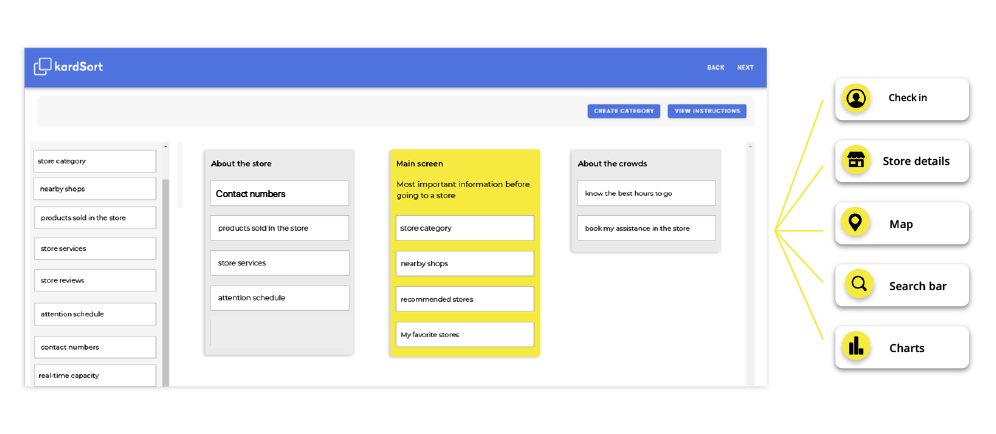
I ran an online card sorting activity to define the information hierarchy what was the most important data that the user wanted to know before going to the store
I developed a classification or grouping of virtual cards activity to maintain social distancing with users.
the participants who developed this online activity had the same profile as our UX Person. The task entrusted to the participants was to create and order the most important information they needed to know to go to a store safely and avoid contagion.
Storyboards - needs & frustrations
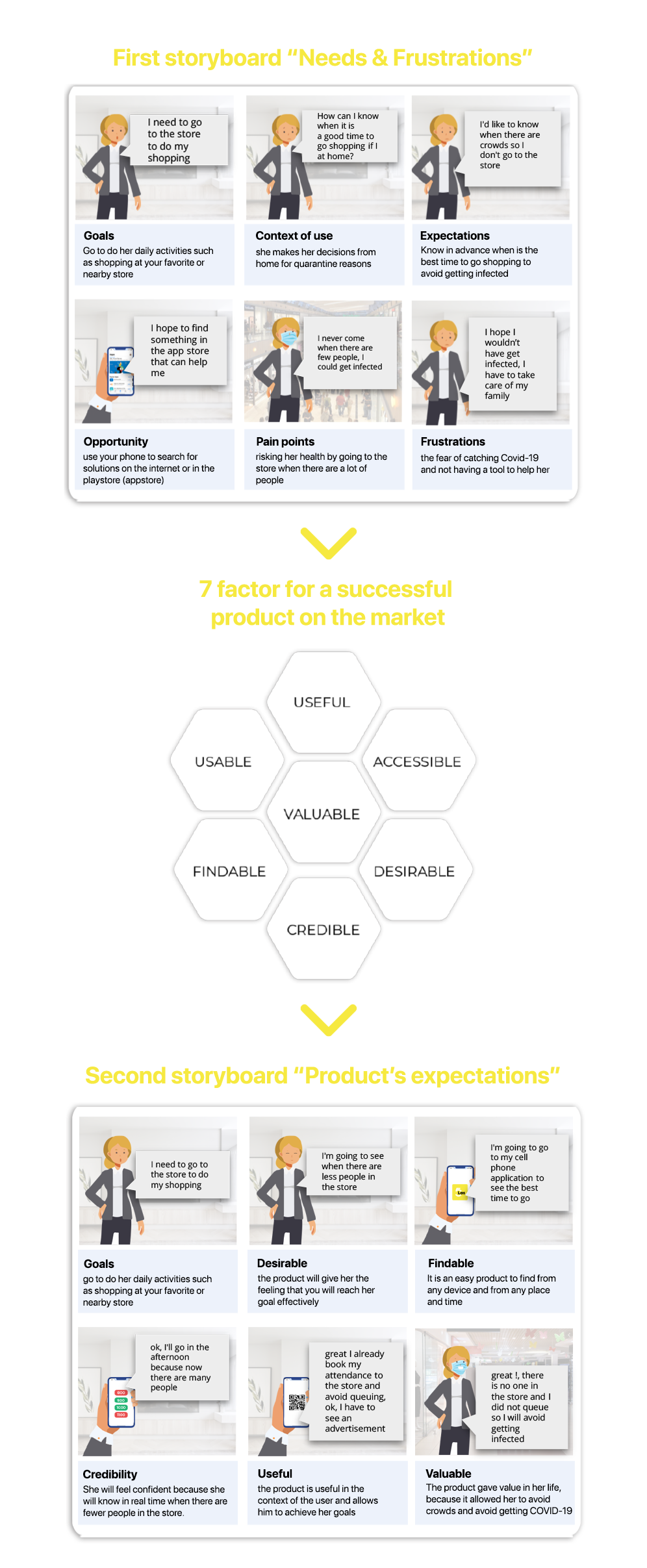
I used storyboards to compare the user’s real context with the product’s impact based on the 7 factors for a successful product
I created a first storyboard where I summarized the problem that all people were having in common when wanting to go to the stores to buy, this first storyboard plotted the real context of the user without our product and showed us all mental states such as expectations and pain points , also the actions carried out by the user, here graph when our product would have the opportunity to enter the life of our user.
This graphic was used to inform the team about the life of our user remotely
I made a second storyboard where I gathered the characteristics of the product identified in the information architecture to illustrate how our product would work in the context of our users.
We would also have a graphical expectation of how the goals of the user and the company would be met.
This graphic was used to inform the team about the life of our user remotely
Competitive-analysis report & Validating our technological capacity
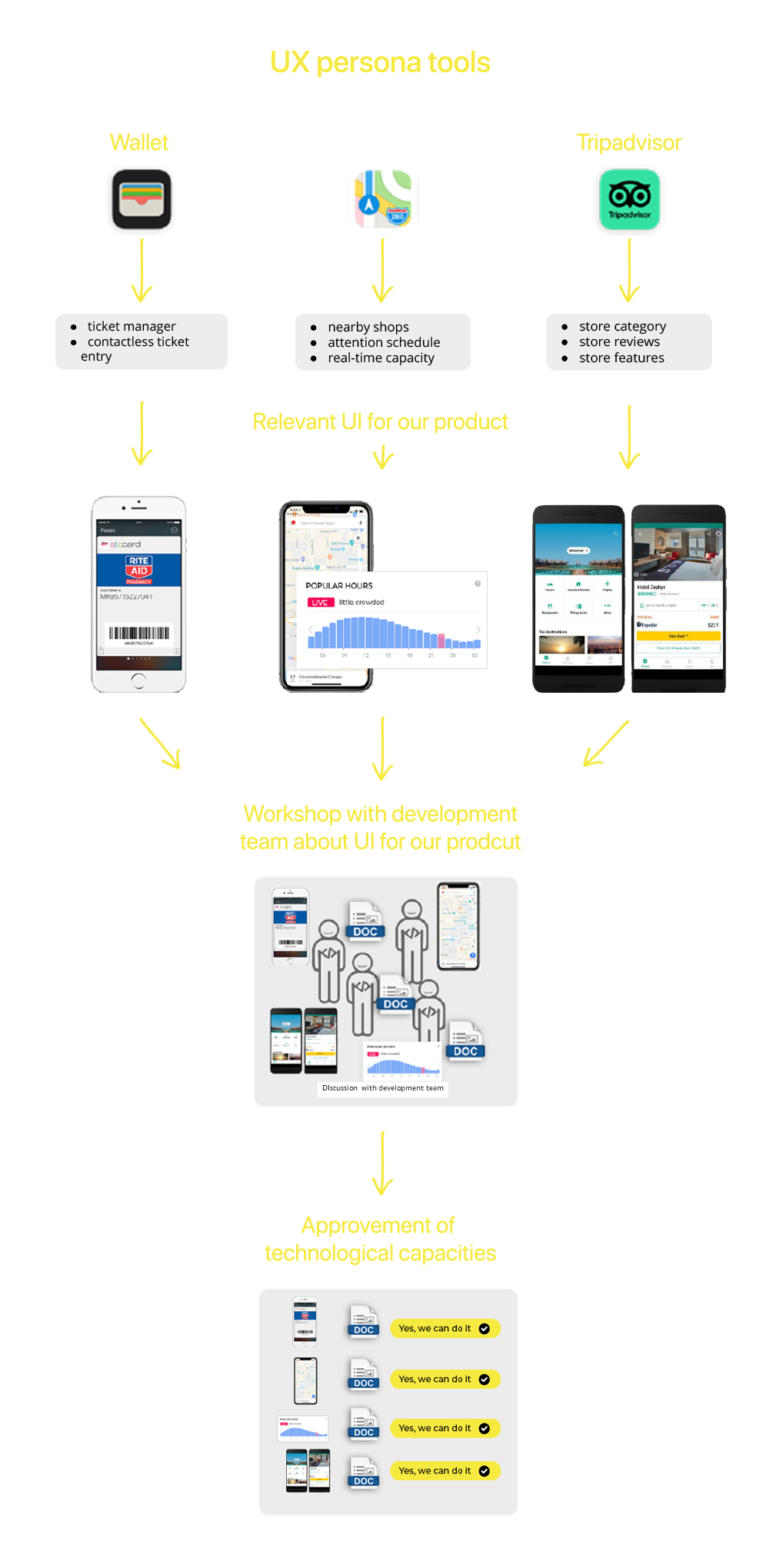
I used our persona’s favourite tools to highlight the most relevant interfaces for our product and discuss them with the development team
My last activity with the UX persona document was to bring the development team together and discuss the most relevant user interfaces of the user’s favourite tools
The objective of this meeting was to find out if we had the technological capacity to include these interfaces in our product
This part was simple and entertaining because we used streaming tools to navigate the applications during the meeting.
On future occasions, I would like to include the user in the stream to see how they interact with their favourite tool
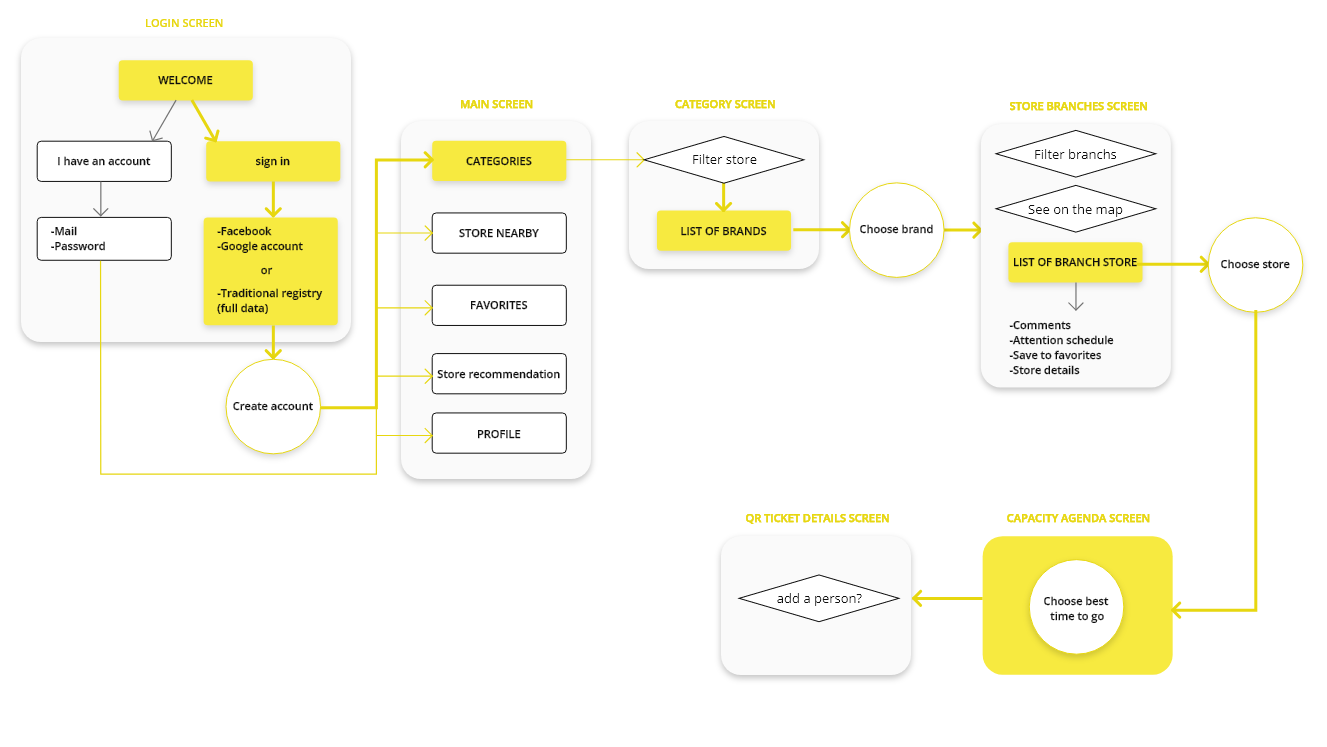
User Flow - a source of information for the developer team
Having defined the IA hierarchy with the features of our product approved I could design the flow from the point of the entry point to the completion of the task
This exercise was an important source of information for the developer team because it helped to solve their doubts about how each element would react and they felt very comfortable criticizing them.
wireframes - putting all the team together
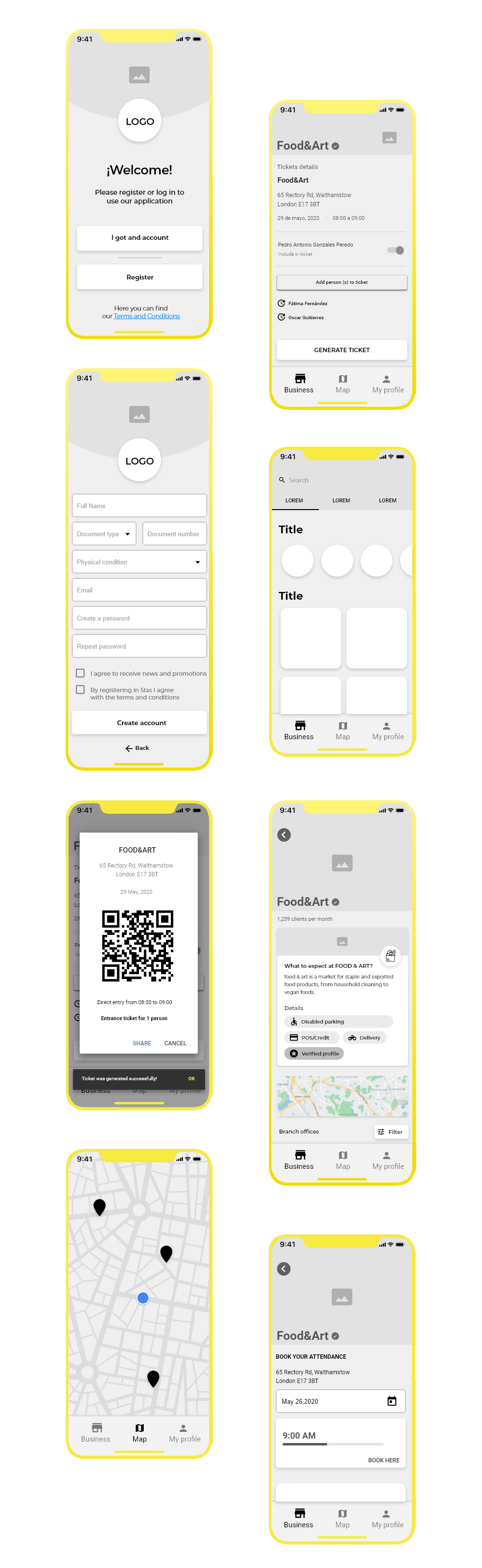
My wireframes were the main discussion point, with the team members we discussed the functionalities and layout and with the users, the accessibility and flow and the solution’s understanding.
As I was approaching the final app design my conversations with the developer team were increasing because my wireframes were the primary collaboration tool during the workshop I had with the team. I had to handle many bias opinions from the team but I was arguing with good UI practices that I used and trying them out on my testing results with the users.
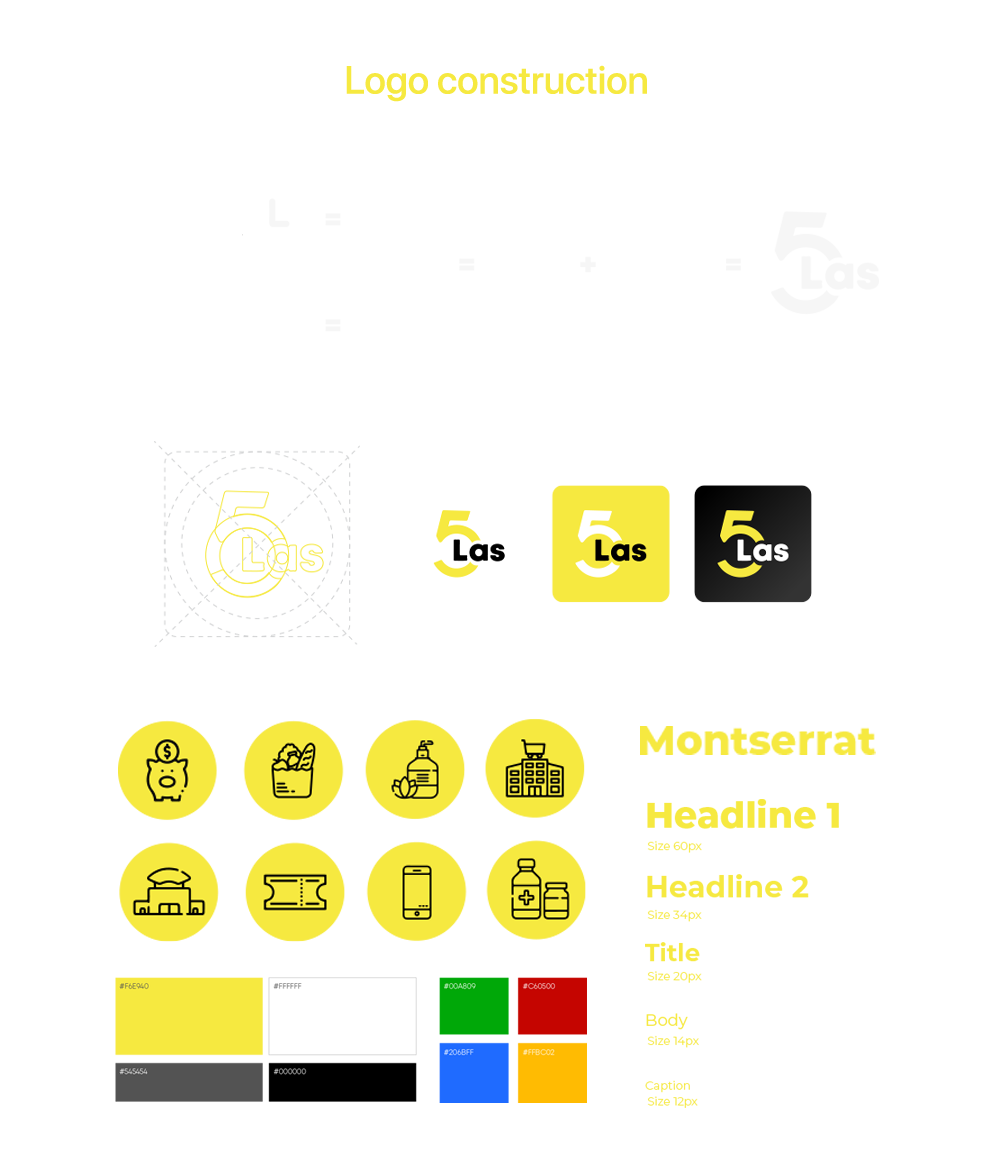
Branding - Giving color to the app
Once my wireframes were approved I was in charge to use my Graphic Design experience to give it the concept that our solutions were representing
Final ui designs
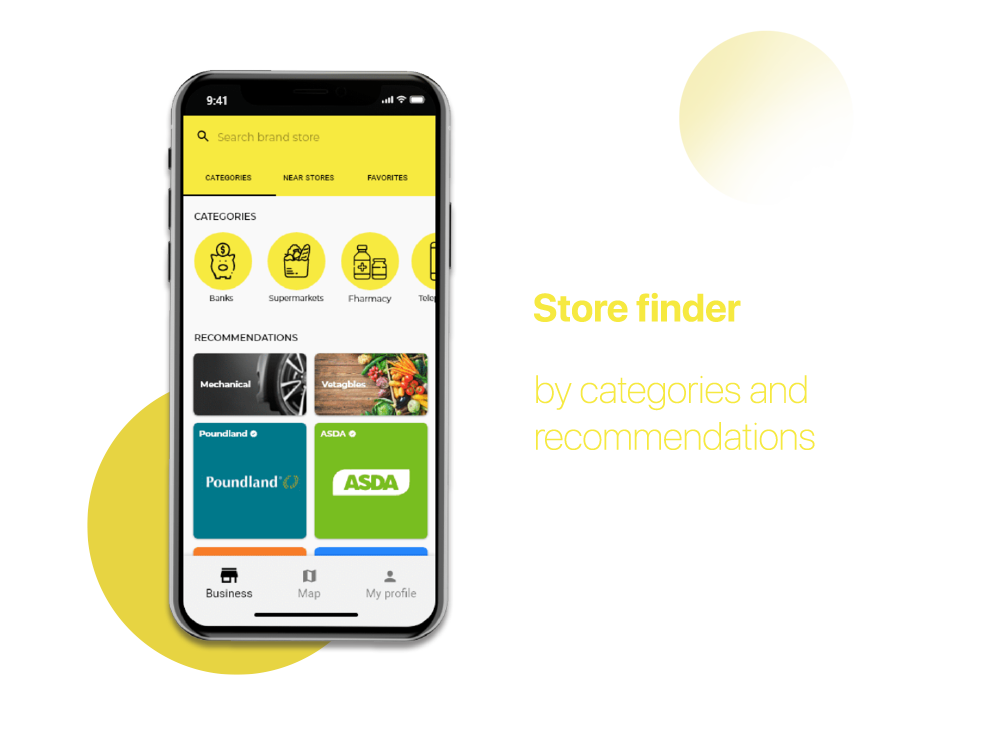
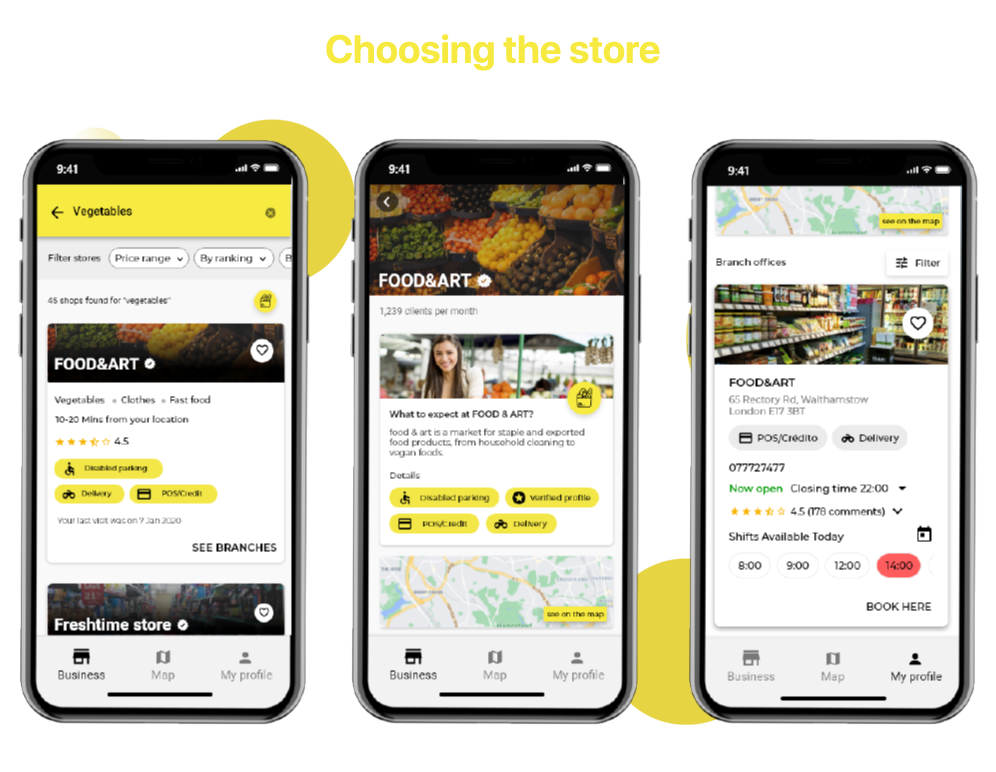
It was important to the user to begin their search store by category on the main screen because the user didn`t associate the store name or logo with the product type.
Except for the best-known stores logos in the country, because in the application these would be the stores most requested by users.
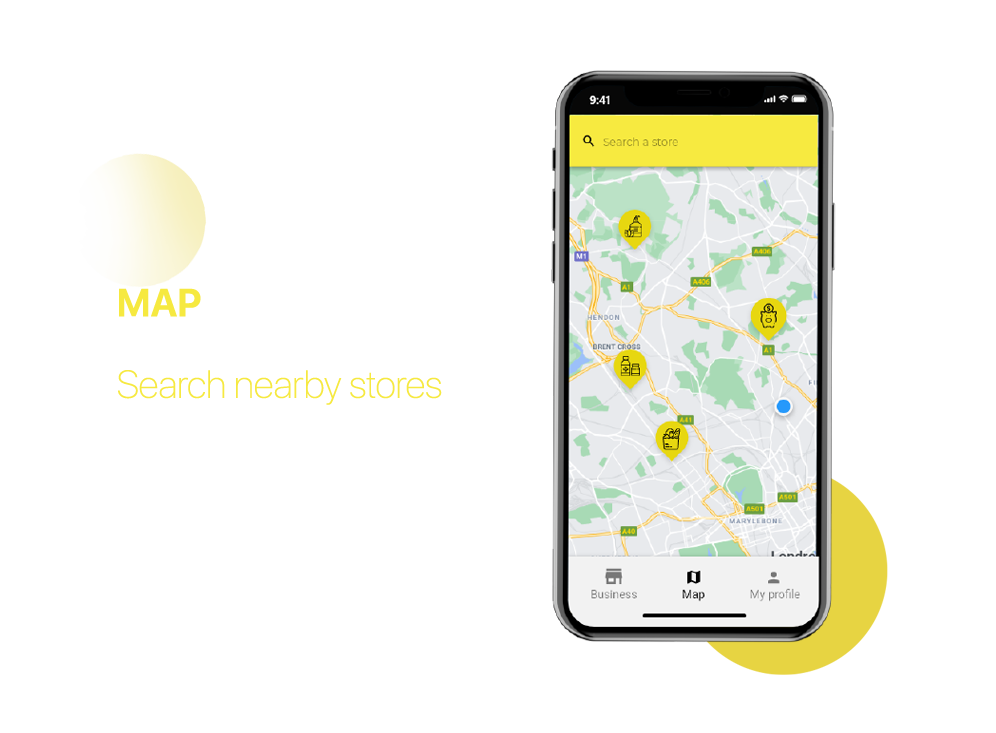
It was important to include a map in the application to let the user know the distance from the store
a feature that I included, was to identify the store category on the map using the icons
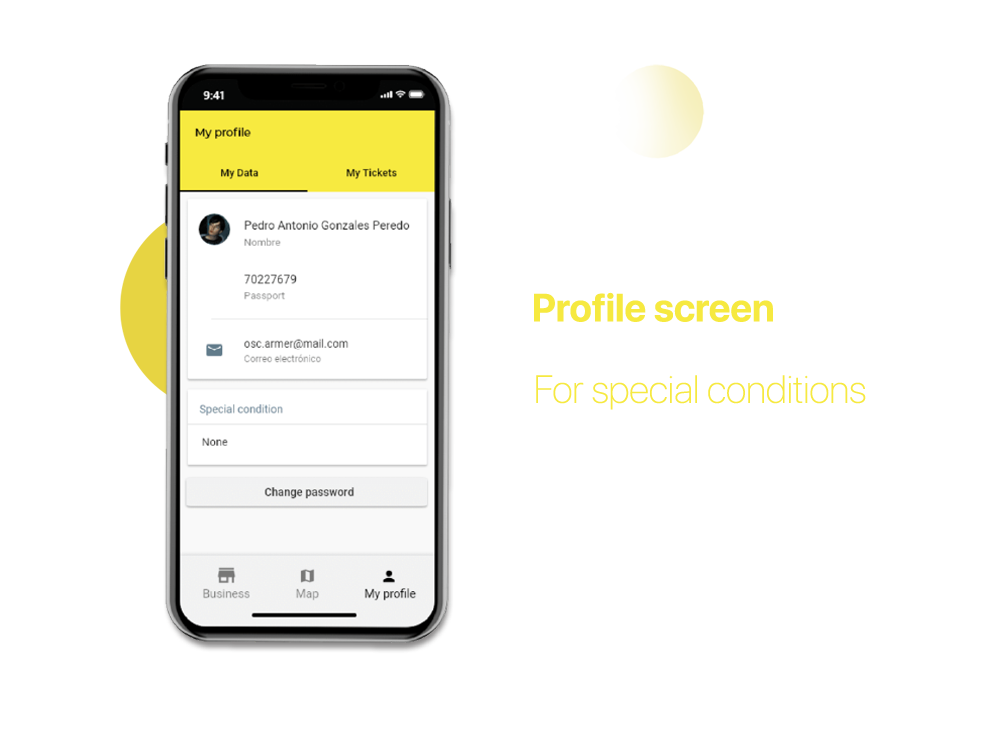
It was important to create a user profile just to inform the store if a customer with a special condition would go.
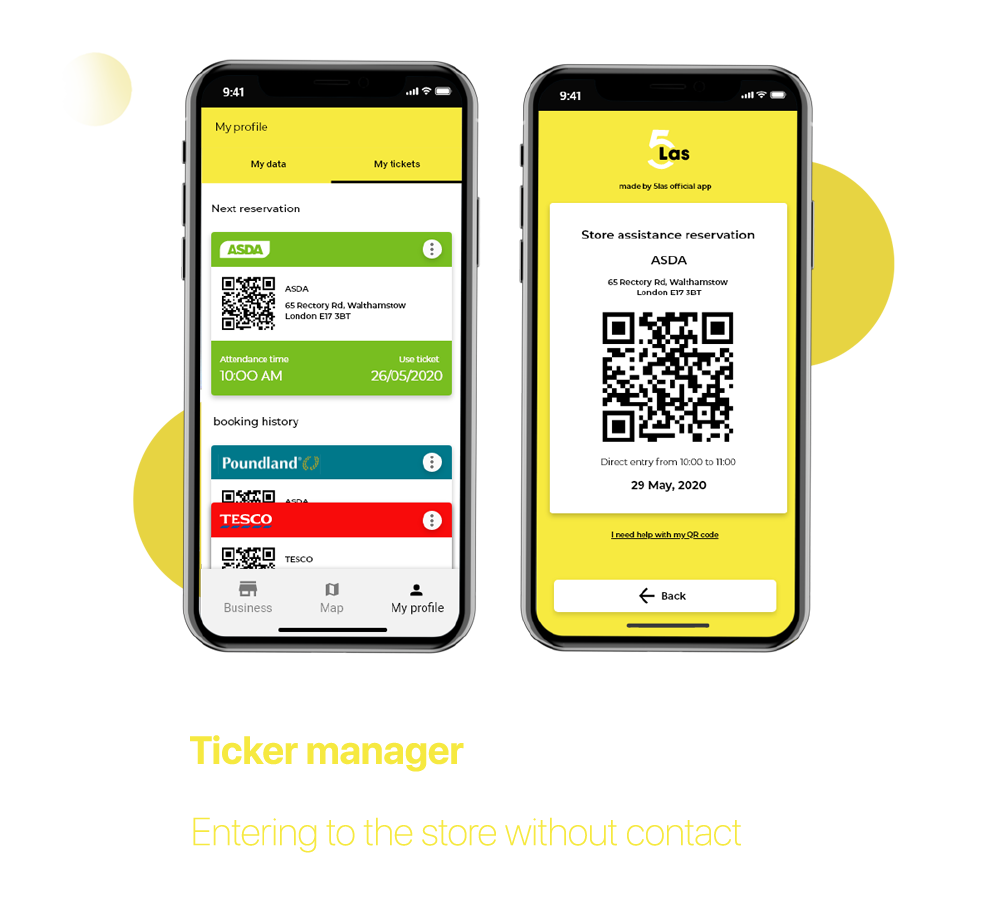
For the design of the ticket manager, the iPhone wallet was used as a reference.
the user could save all the information of their tickets,
and with a single touch the ticket was ready to be scanned
In the store profiles, the user could know in advance what products and services to expect from them.
The user could also know additional information such as comments, contact numbers and hours in advance.
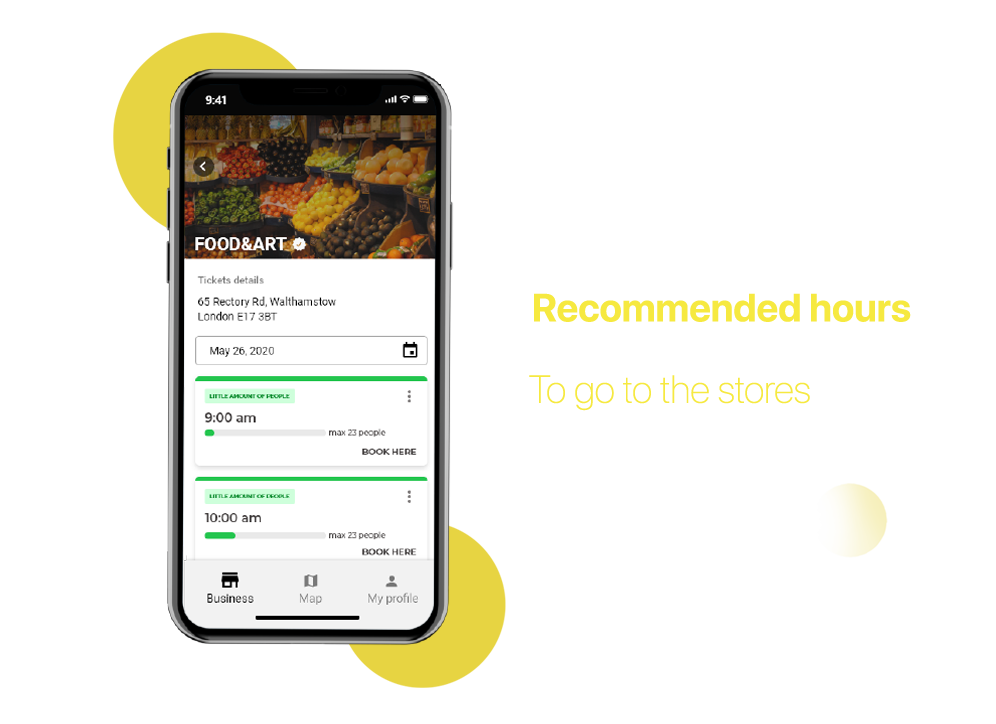
and the most important part of the product was to know the hours with fewer people, to achieve that I used the design of measuring bars.
Remote usability testing
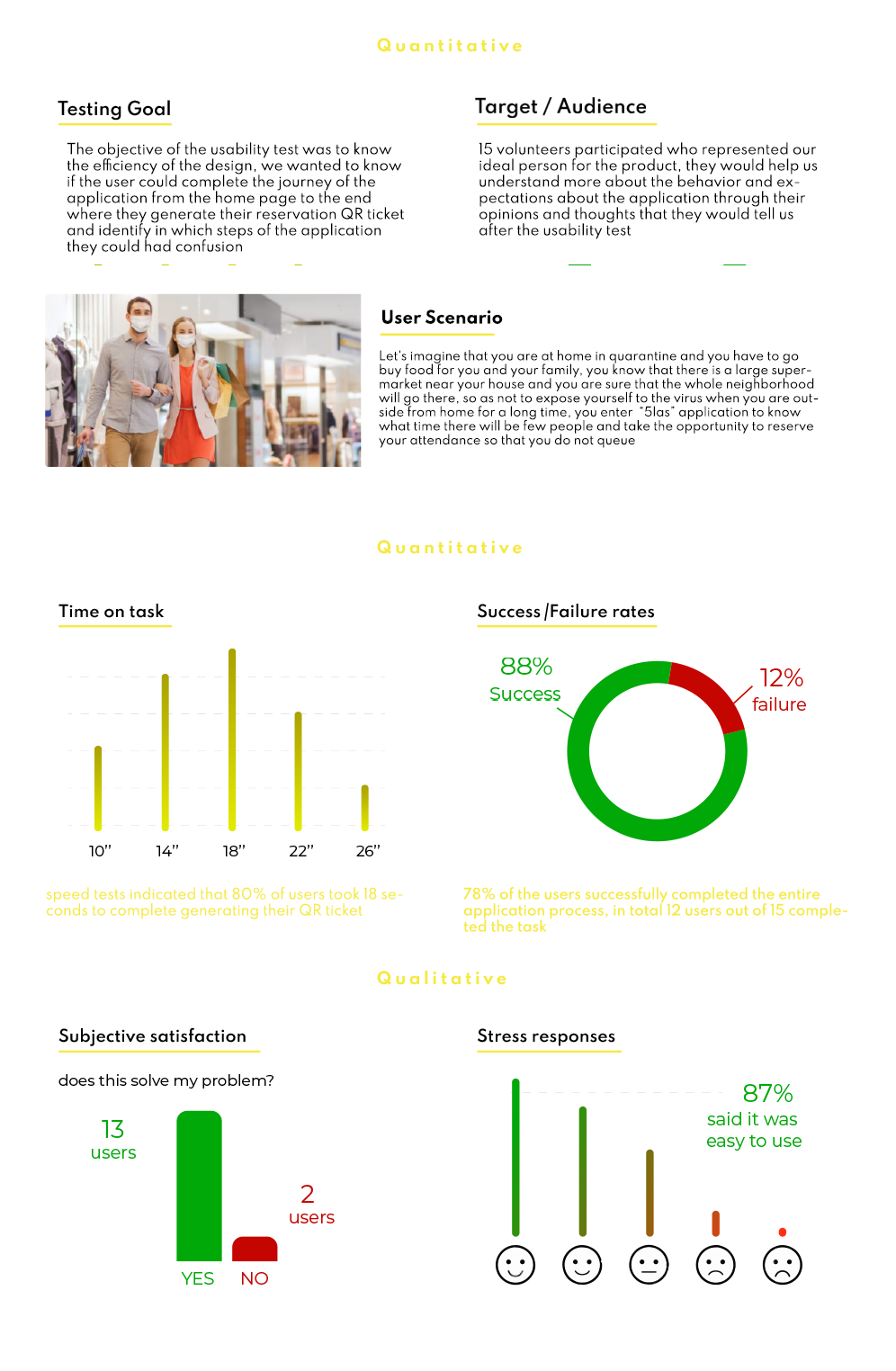
I had to run a remote usability test due to the context of the pandemic. My main objectives were to test if the information in the application was useful and if the users were able to obtain their QR codes.
+60 user for quantitative test / 15 user for qualitative test
5LAS for business
Capacity controller for companies
The business was a solution for the business owners as part of the project
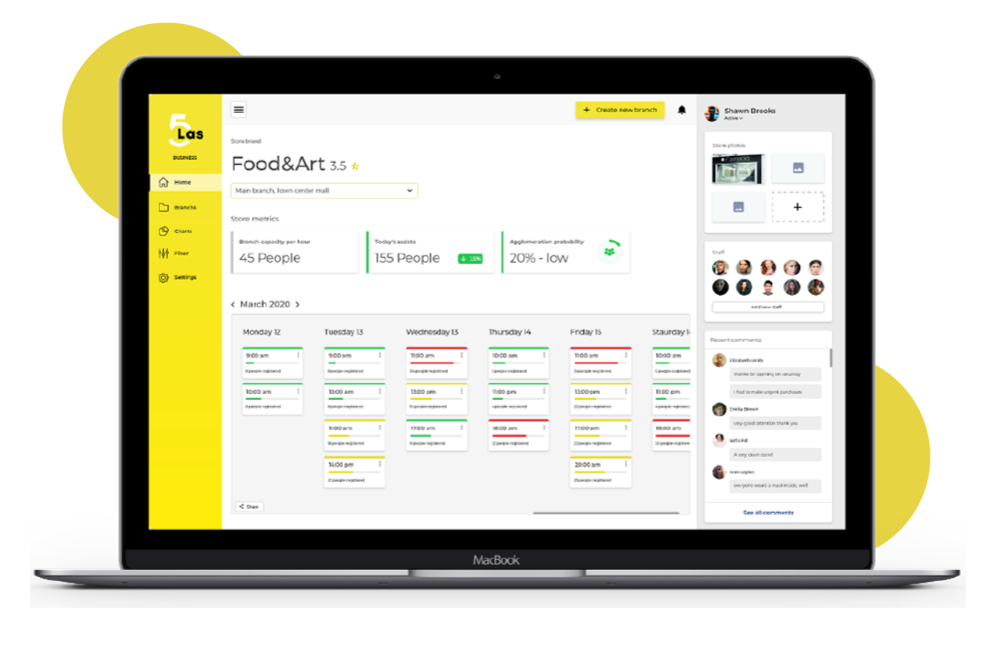
they would have a platform to control the capacity of their stores and the attendance of their customers, this web platform was a complement to the mobile application.
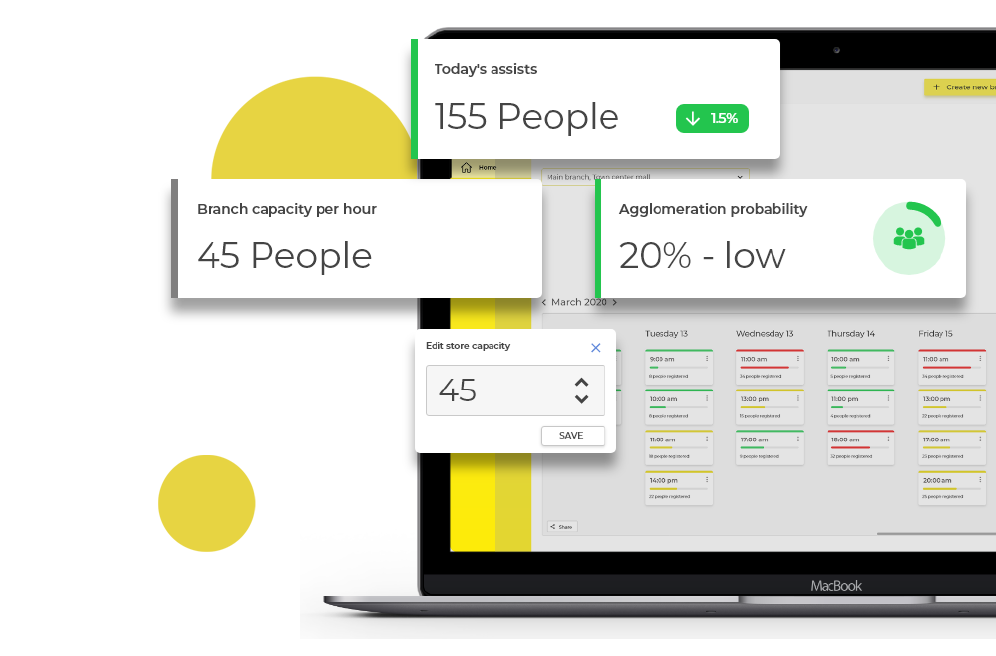
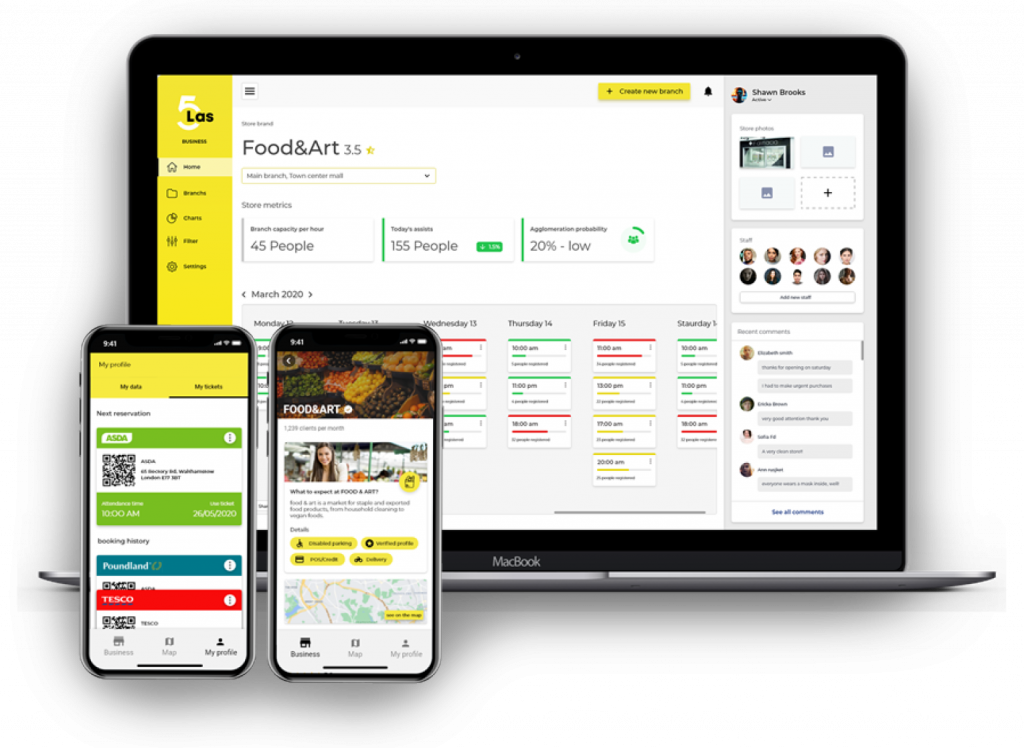
Capacity metrics & store status
Store owners can edit the number of customers that they wanted to attend their store
They could also know how many customers could be on the day and the crowding probability that it could generate
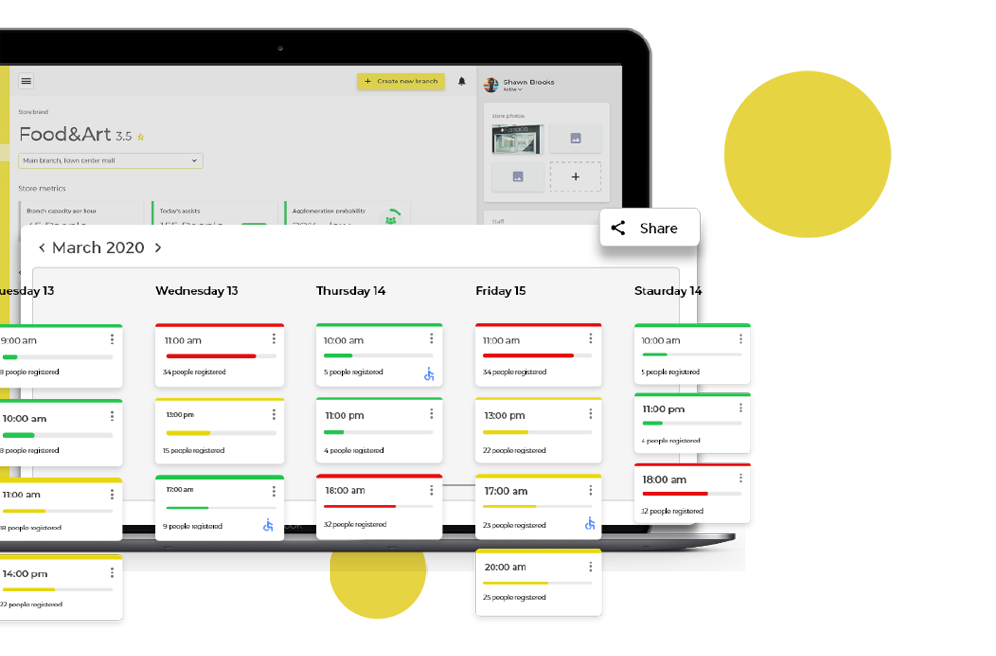
Attendance schedule, hour by hour
Store owners could keep a track of the number of people arriving at their store by date and time.
They could also know if a customer with a special condition could go.
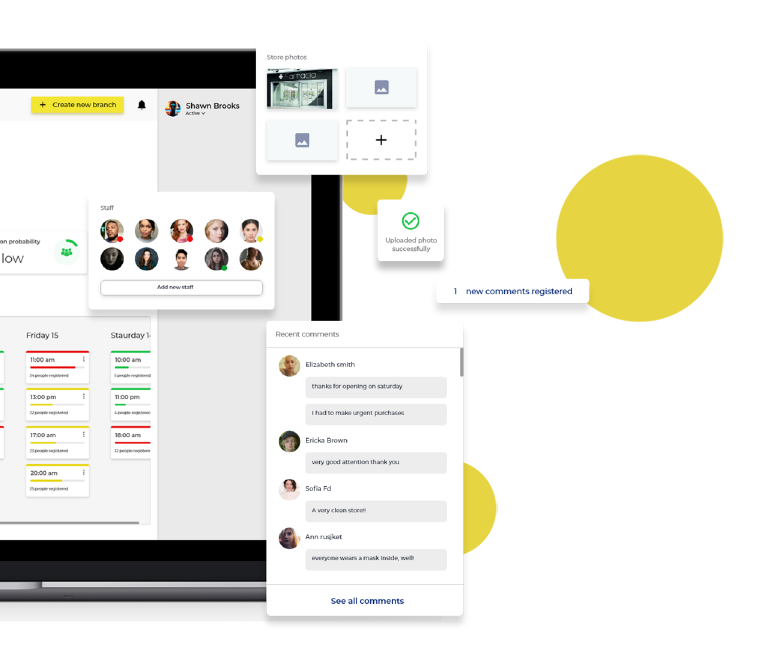
Store interaction with the mobile app
From the web platform, the owners of the stores could upload photos of their stores and they could be seen in the application.
They could also see the comments they received
Development
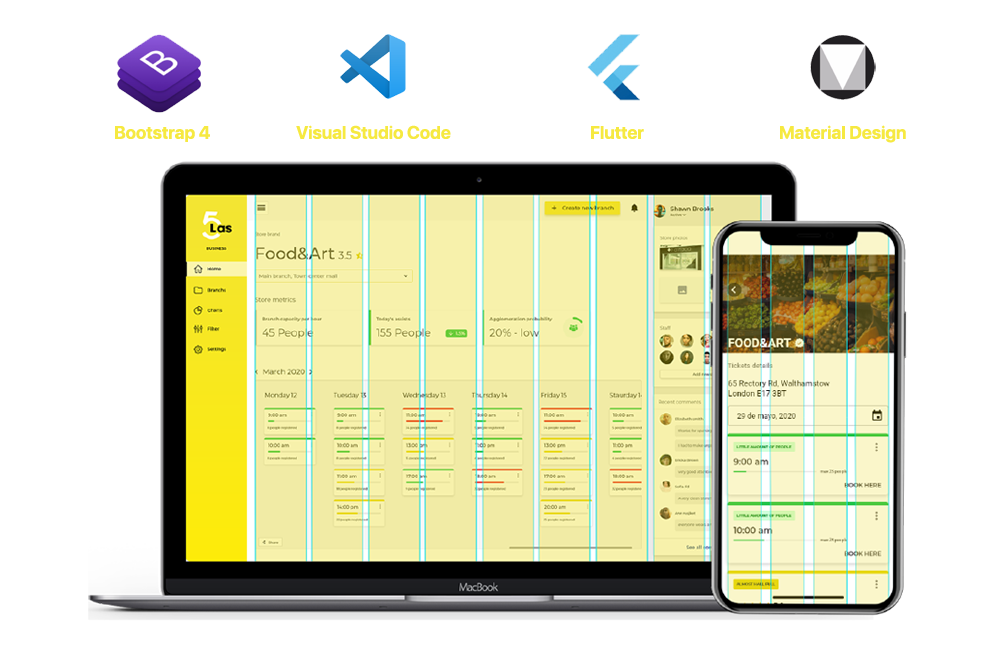
The app was decided to be hybrid because we wanted the app available on Android and iOS as quickly as possible.
I designed it using material design standards and for the web platform, I used the Bootstrap 4 component gallery
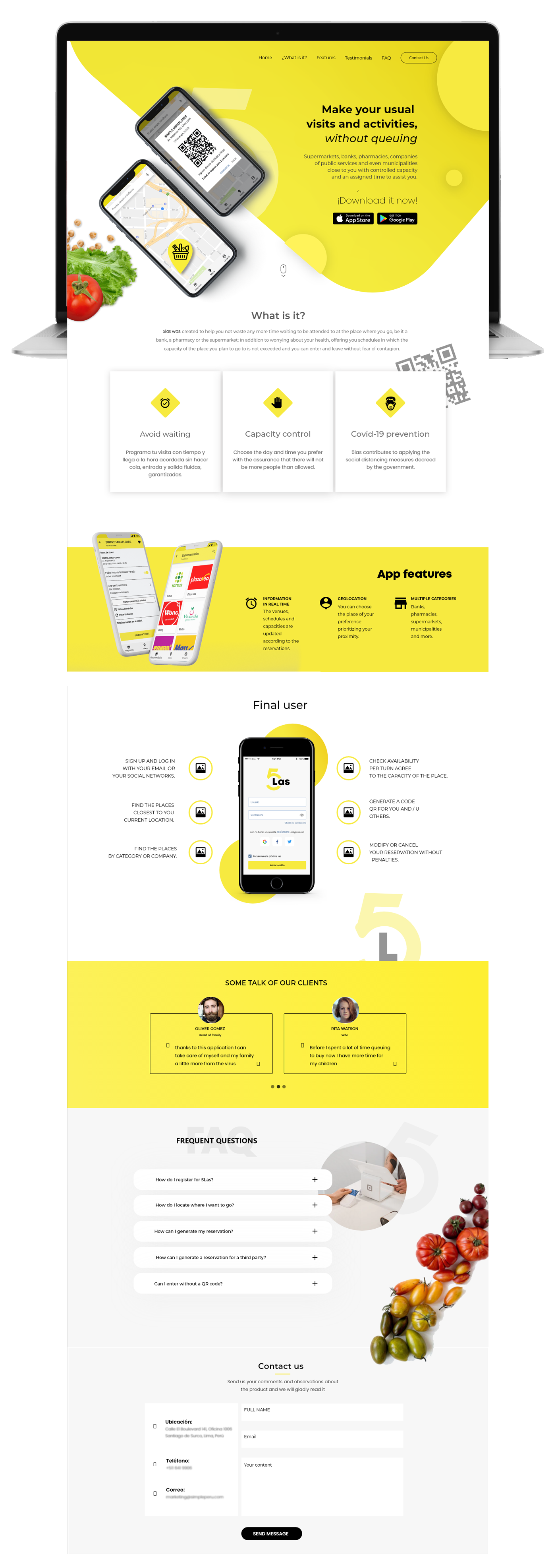
Official app website
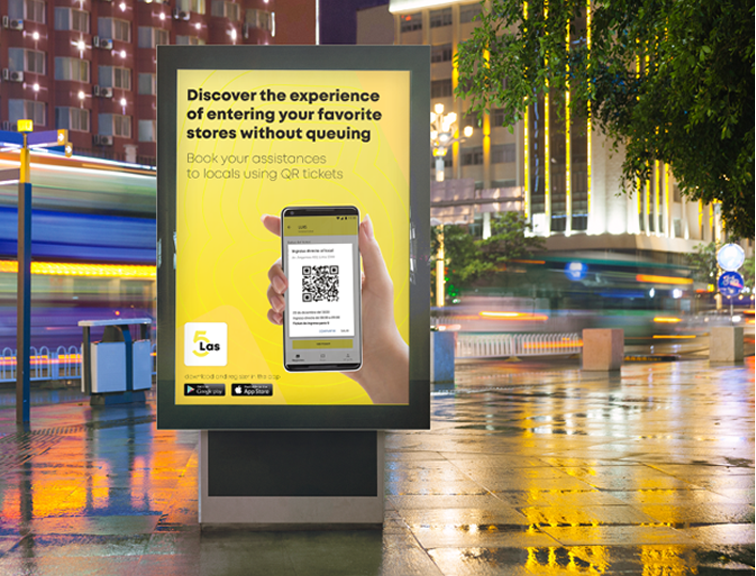
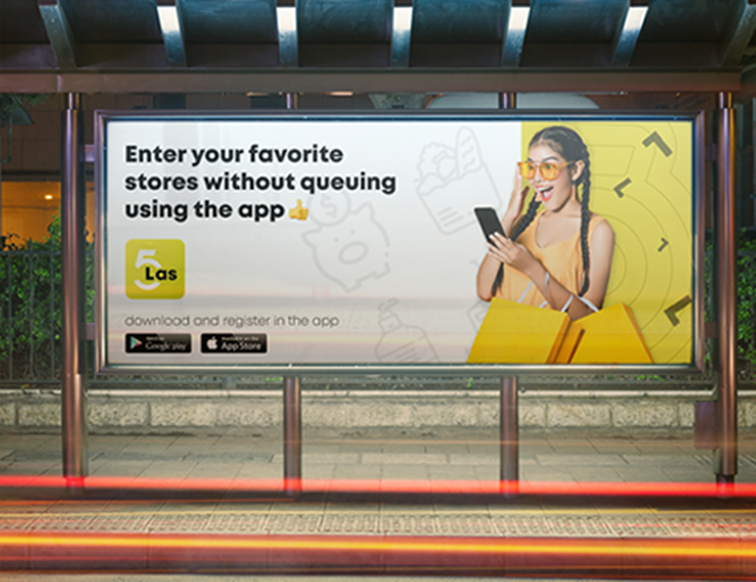
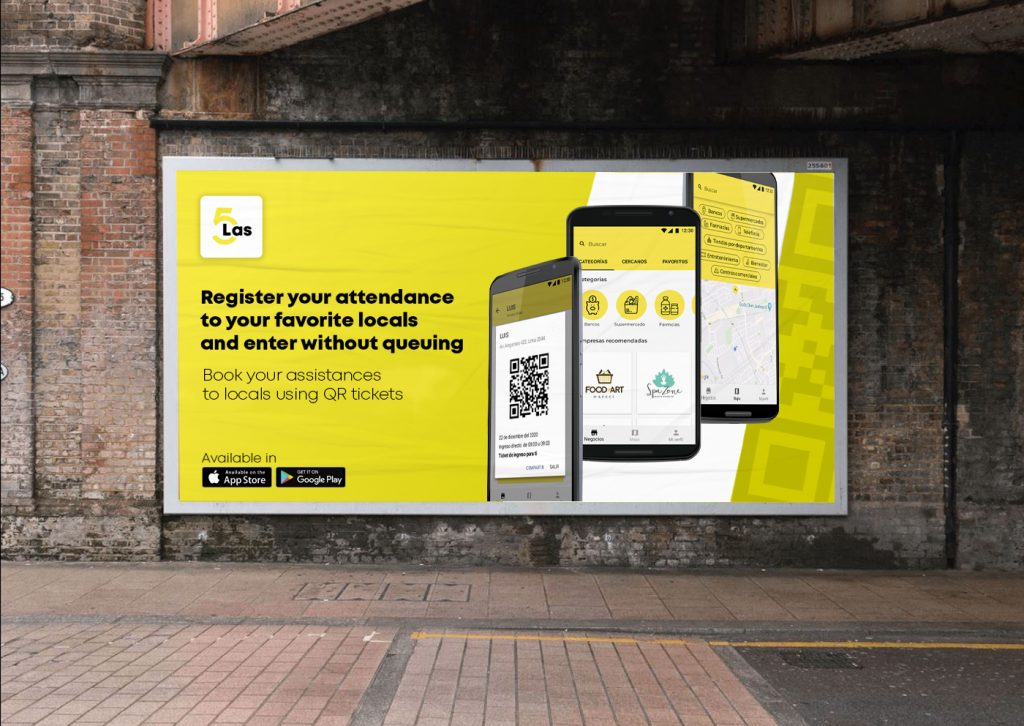
In an addition, I proposed to design the official website to make our product more trustworthy and to highlight our main features